You followed every other ATS guide on the internet and your scan score still won't budge past 70. The reason is almost always format: the wrong font, an unusual line height, weird margins, or the wrong file type. Format is the one part of an ATS-friendly resume that has objective right answers — and once you lock the spec, you stop guessing. This is the complete 2026 ATS-friendly resume format reference: fonts, sizes, spacing, margins, file types, and section order. Run a free ATS scan once you've applied the spec to verify the score jump.
Why Format Is the Most Underrated Lever
Format is the single category that you can fully control with zero content rewriting. The other 4 ATS score categories (keyword match, skills, sections, style) take judgment and JD-specific tailoring. Format is just rules — follow them and you bank an immediate 10-25 point score lift before you touch a single bullet.
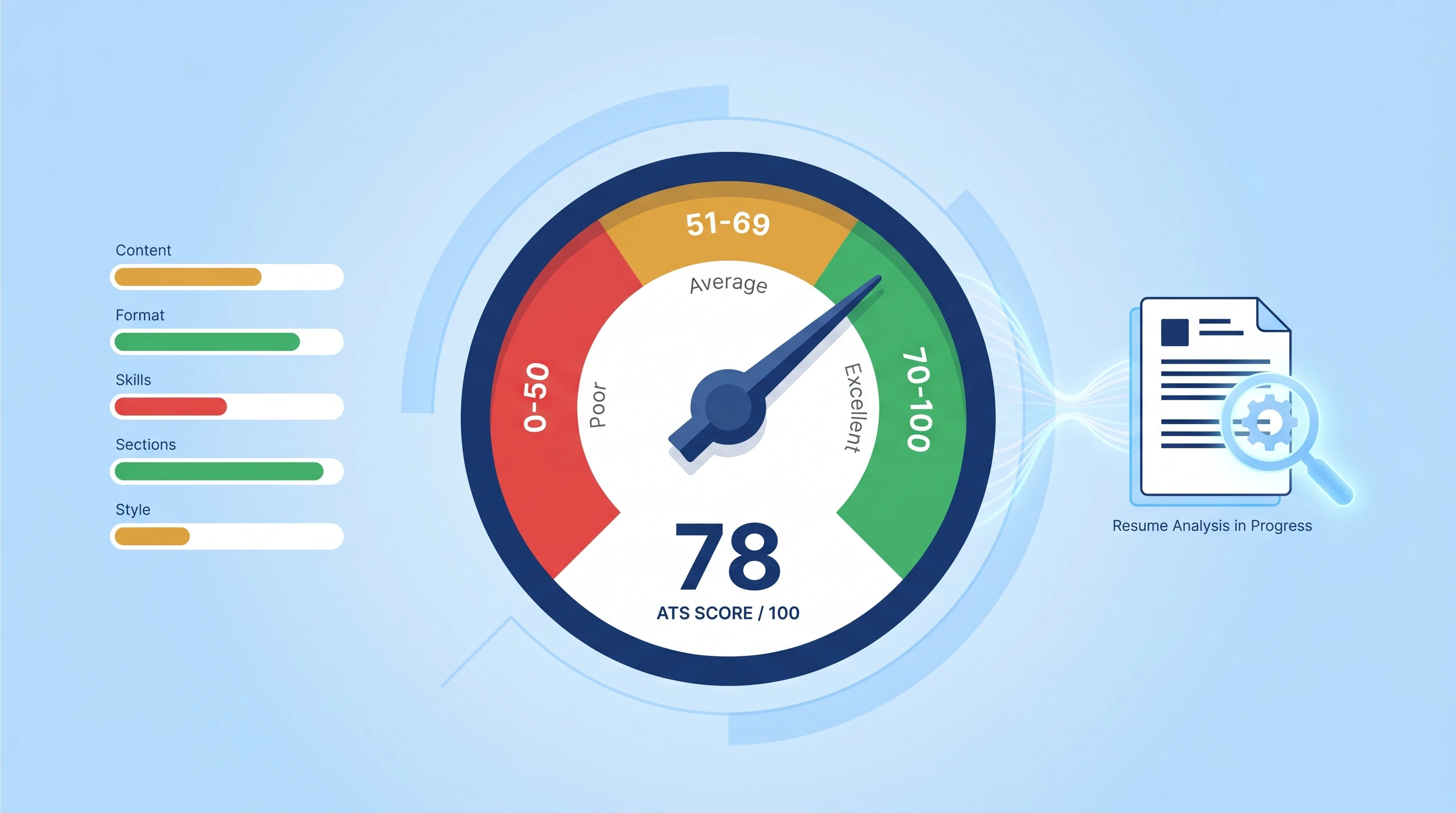
For the bigger picture of what an ATS scoring formula actually weighs format at, see the ATS score guide — Format Readability typically counts for 20-30% of your total.
Font: 5 Safe Choices, Everything Else Is Risky
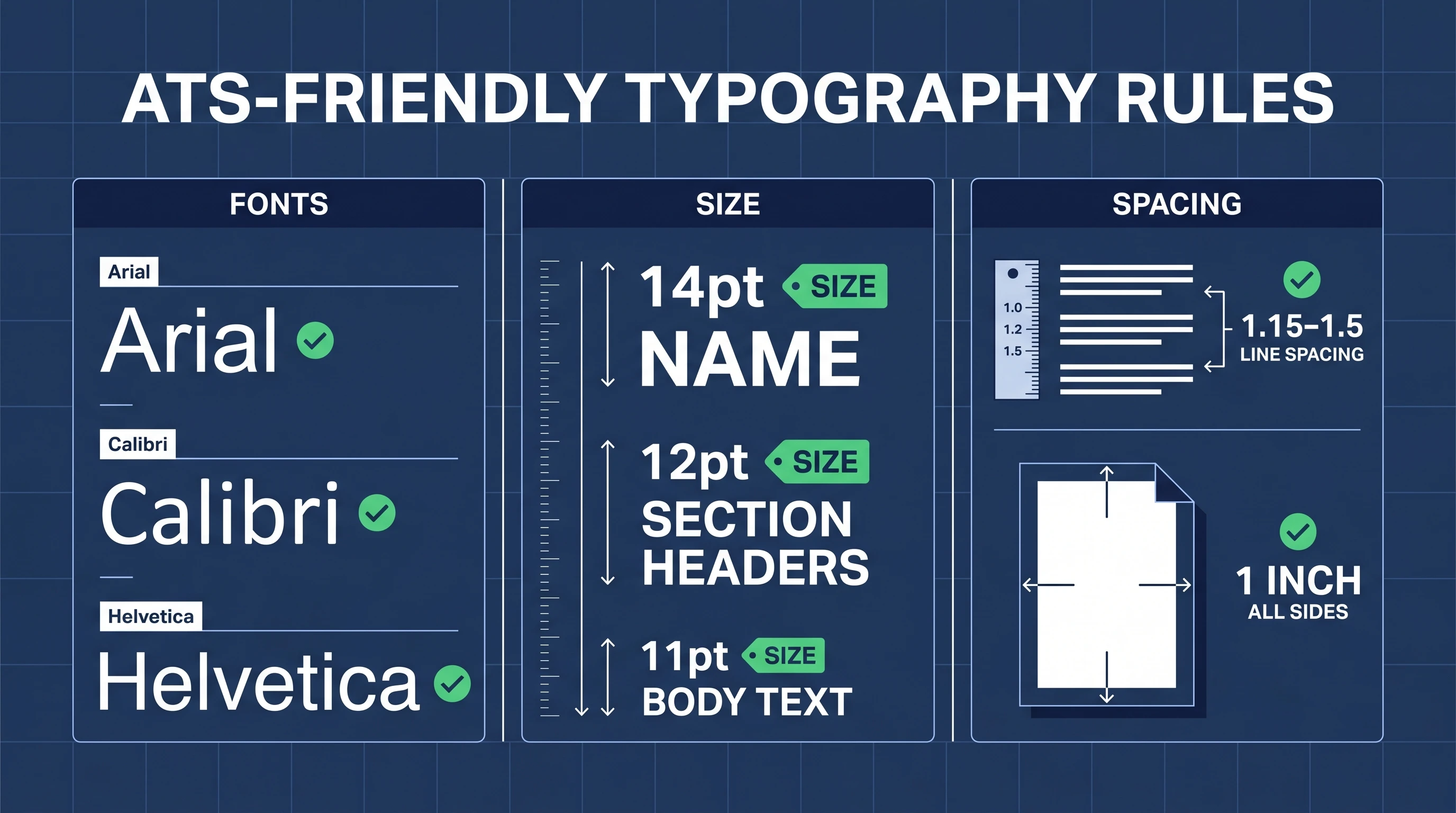
Use one of these five fonts for the entire document:
| Font | Why it works |
|---|---|
| Arial | Universal default. Renders identically across Windows / macOS / Linux. |
| Calibri | Microsoft Office default since 2007. Ships with every Word install. |
| Helvetica | macOS default. Identical metrics to Arial; safe for cross-platform. |
| Times New Roman | Universal serif default. Use for formal industries (law, academia, finance). |
| Georgia | Slightly more modern serif than Times. Renders well at small sizes. |
Avoid: Comic Sans, Lobster, Brush Script, Pacifico, and any "designer" weight (Lato Black, Montserrat ExtraLight, Open Sans Condensed). These trigger character extraction failures in older ATS parsers.
Mixing two fonts is fine for headers vs body, but pick from inside the safe list for both. Mixing 3+ fonts almost always looks amateur to a human and isn't worth the risk to the parser.
Sizes: Body 11-12pt, Name 14-16pt, Headers 12pt
Body text: 11-12pt. 11 gives more room; 12 is more readable on screen. Below 10 = the parser sometimes drops characters and the recruiter strains to read. Above 12 = your resume runs to 3 pages with thin content.
Your name (first line): 14-16pt. Bold optional.
Section headers (EXPERIENCE, EDUCATION, etc.): 12pt, bold or ALL-CAPS or both. Don't use 14pt+ for section headers — it visually competes with your name.
Line Height: 1.15 – 1.5
Line height (also called "leading"): 1.15 to 1.5. Tight enough to fit content in 1-2 pages, loose enough that the parser can clearly separate one line from the next.
| Setting | When to use |
|---|---|
| 1.0 | Never — lines run together and bullets blur |
| 1.15 | Default for content-dense resumes (5-10+ years experience) |
| 1.25 | Sweet spot for most resumes |
| 1.5 | Lighter resumes (entry-level, career changes); also use inside bullet lists for breathing room |
Margins, White Space & Page Length
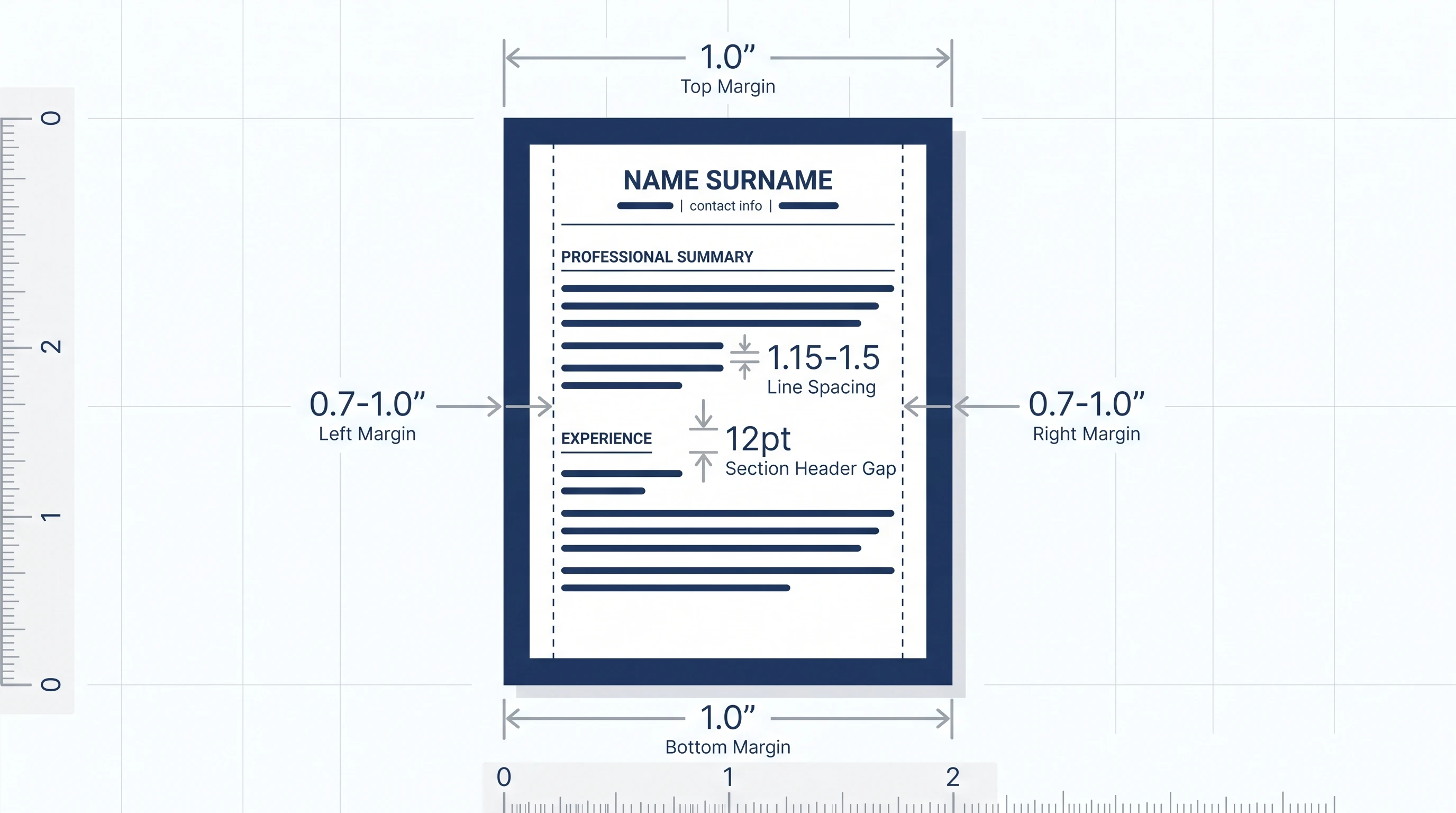
Margins: 0.7" to 1.0" on all sides. Below 0.7" the parser sometimes truncates the edge characters; above 1.0" wastes vertical space and pushes content to a second page unnecessarily.
Page length:
- 1 page — 0-7 years experience, career changers, junior roles
- 2 pages — 8+ years experience, senior roles, or roles requiring detailed project history
- 3+ pages — academic CVs, federal roles, executive positions only
Two-page resumes are fine as long as the second page is at least half-full. Half-empty page 2 = move the cut.
White space: 8-12pt gap between sections, 4-6pt gap between bullets. Tight enough to fit on one page, loose enough to distinguish blocks.
Curious how your resume actually scores?
Run our free 60-second ATS scan to see your match score, missing keywords, and a 20-point diagnostic — before you click Apply.
Try the Free ATS ScanFile Type: .docx First, Text-Based .pdf Second
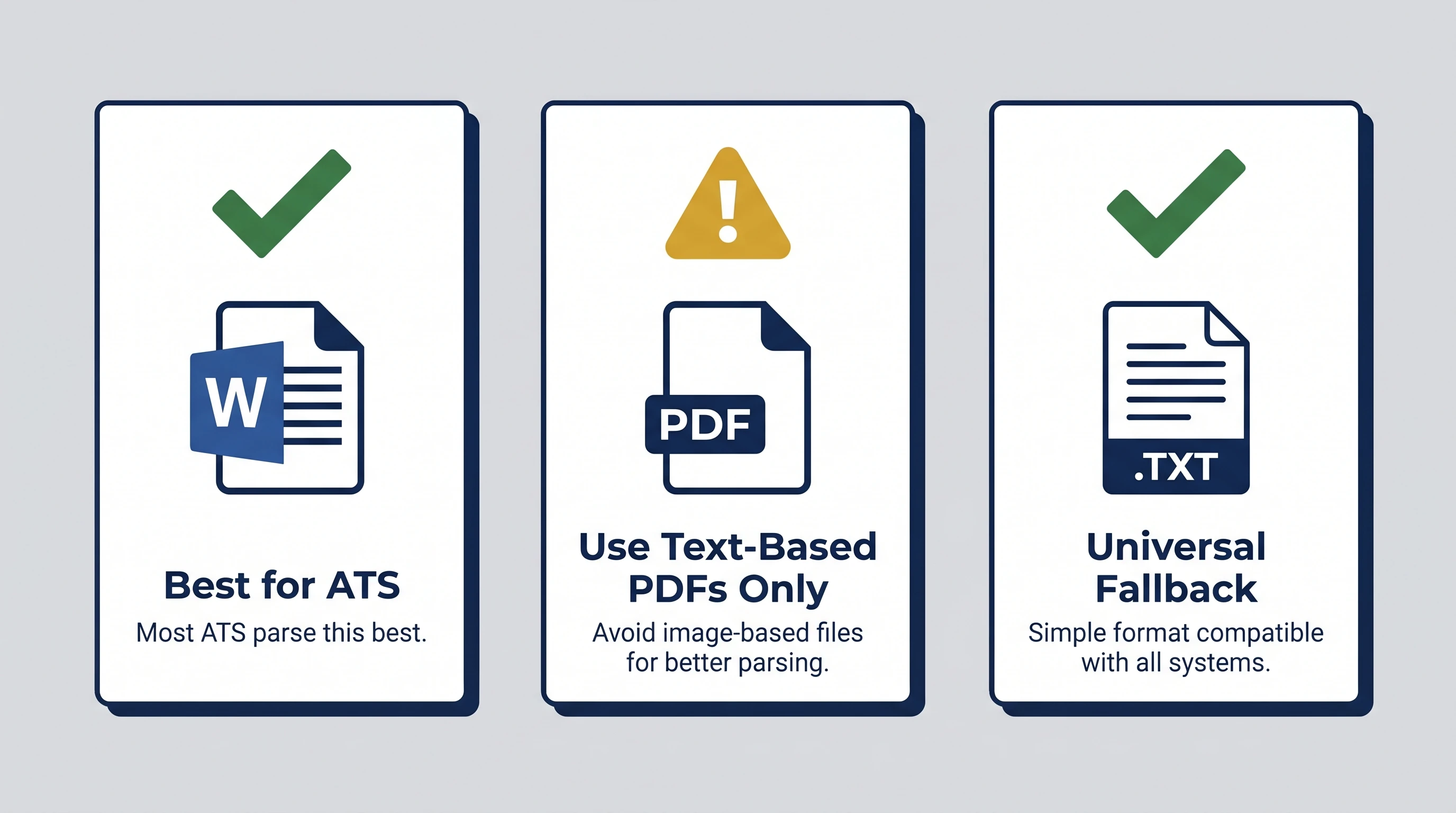
The hierarchy:
.docx— Best. ATS parsers were originally built for it; cross-platform; preserves structure. Submit this whenever the form allows..pdf(text-based only) — Acceptable when the form requires PDF. Test by opening the PDF and trying to copy a line of text. If text copies cleanly, the PDF is parseable..txt— Universal fallback. No formatting at all, but 100% guaranteed parseable. Use only if the form rejects everything else.
Never submit:
- Scanned PDFs (printed → scanned). Zero text extractable.
- Image-based PDFs (Canva / Figma / Photoshop export). Same problem.
.pages(Apple Pages). Most ATSes can't parse it..odt(LibreOffice / OpenOffice). Inconsistent parser support.
When in doubt, export to .docx from Word or Google Docs. Both produce clean, parseable files.
Section Order: The 6-Block Standard
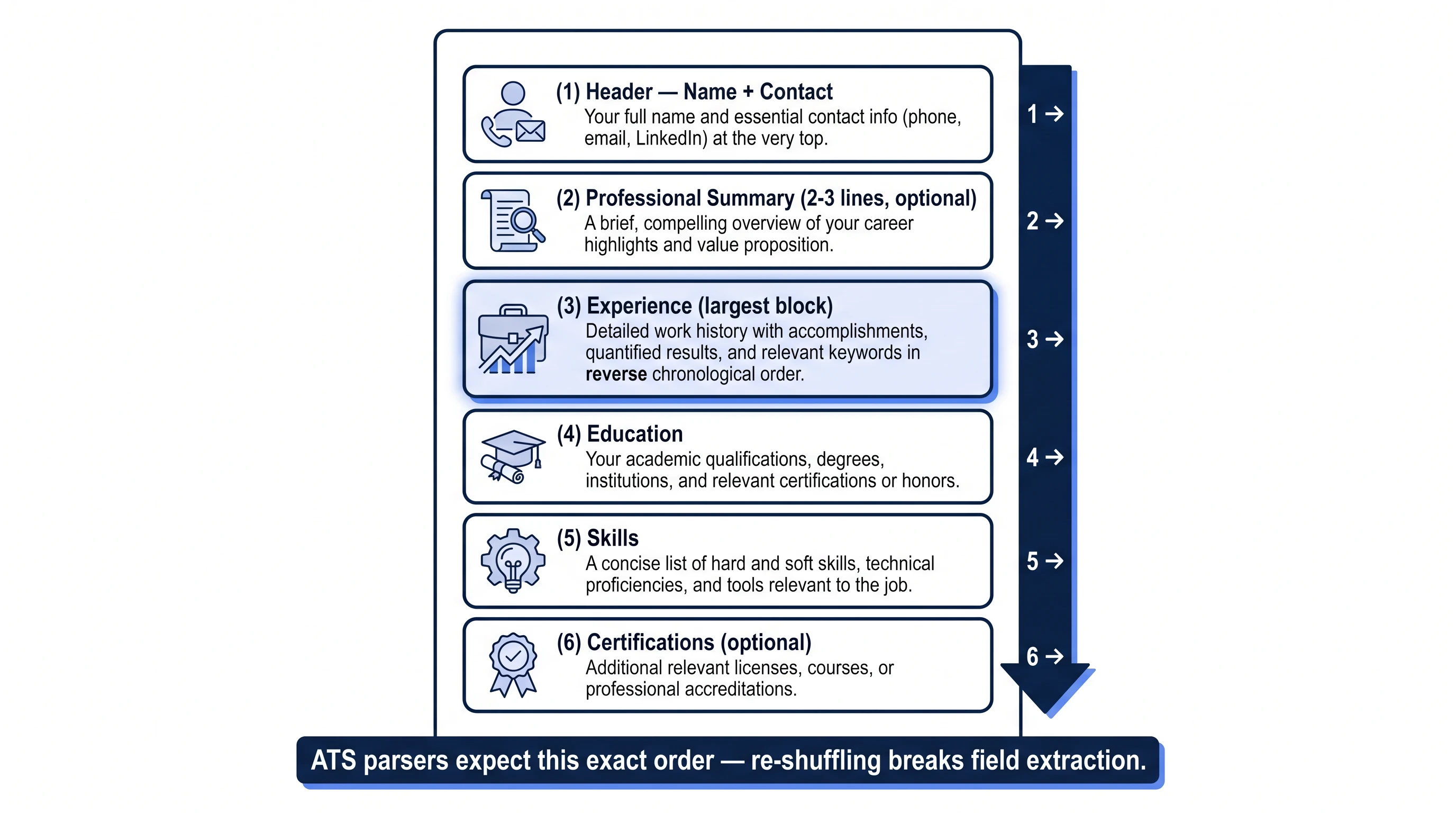
ATS parsers expect a specific section order. Deviate and the parser sometimes mis-classifies an entire block:
- Header — Name (first line, 14-16pt), then
email · phone · city, state · linkedin.com/in/... - Professional Summary (optional, 2-3 lines) — A one-paragraph pitch. Skip if you're early-career.
- Experience — Largest block. Reverse chronological. Each role: title, company, dates, 3-6 bullets.
- Education — School, degree, dates. Move above Experience only if you're a current student.
- Skills — Comma-separated list grouped by category (Languages, Tools, Methodologies). Avoid star ratings.
- Certifications (optional) — Cert name, issuing body, date.
For full coverage of why standard order matters — and what happens when you break it — see the 10 ATS mistakes guide (Mistake #7).
The single most-broken rule is using non-standard section names (My Journey instead of Experience). The parser only matches the exact string list above — anything else and the whole section never gets scored against the JD. See the step-by-step ATS-friendly resume guide for the fix.
Scan your resume against any job — free
Drop your resume and the job description. Get your ATS match score, missing keywords, and rewrite suggestions in under 60 seconds. No card required.
Start Free ScanQuick Format Audit (60 Seconds)
Open your resume and check:
- Single column throughout (no sidebars)
- Font is Arial / Calibri / Helvetica / Times New Roman / Georgia
- Body 11-12pt, name 14-16pt, section headers 12pt
- Line height 1.15-1.5
- Margins 0.7"-1.0"
- Section headers match the standard list (EXPERIENCE / EDUCATION / SKILLS / ...)
- Standard section order (Header → Summary → Experience → Education → Skills → Certifications)
- File type
.docx(or text-based.pdfonly when required) - Page length 1 page (0-7 yrs) or 2 pages (8+ yrs); no half-empty page 2
If all 9 boxes are ticked, your format-side score is at the ceiling. Anything else holding the total back is keyword / skills / content — see the 4 fast ways to raise your ATS score for those.
Frequently Asked Questions
What is the best font for an ATS resume?
Arial is the safest universal default — renders identically across all operating systems and parses cleanly in every ATS. Calibri is a strong second (Microsoft Office default since 2007). For formal industries (law, academia, finance), Times New Roman is conventional and equally ATS-friendly.
What font size should a resume be?
Body text 11-12pt, name 14-16pt, section headers 12pt. Below 10pt risks character extraction failures in older parsers; above 12pt for body text usually pushes your resume to an unnecessary second page.
Should an ATS-friendly resume be 1 or 2 pages?
1 page for 0-7 years of experience or career changers; 2 pages for 8+ years or senior roles. Two pages are fine as long as the second page is at least half-full — half-empty page 2 means your content fits on one page; move the cut.
Can I submit my resume as a PDF?
Yes, but only text-based PDFs. Open the PDF, try to copy a line of text — if the copy is clean text, the PDF is parseable. If the copy is blank or garbled, the PDF is image-based (scanned, Canva, or Photoshop export) and almost no ATS can read it. Prefer .docx whenever the form allows.
What margins should I use for an ATS-friendly resume?
0.7" to 1.0" on all sides. Below 0.7" the parser sometimes truncates edge characters; above 1.0" wastes vertical space. The default Microsoft Word 1.0" margin is always safe.
What section order does an ATS expect?
Header (name + contact) → Professional Summary (optional) → Experience → Education → Skills → Certifications (optional). Deviating from this order — especially putting References or Hobbies near the top — can cause the parser to mis-classify blocks. Current students may move Education above Experience.