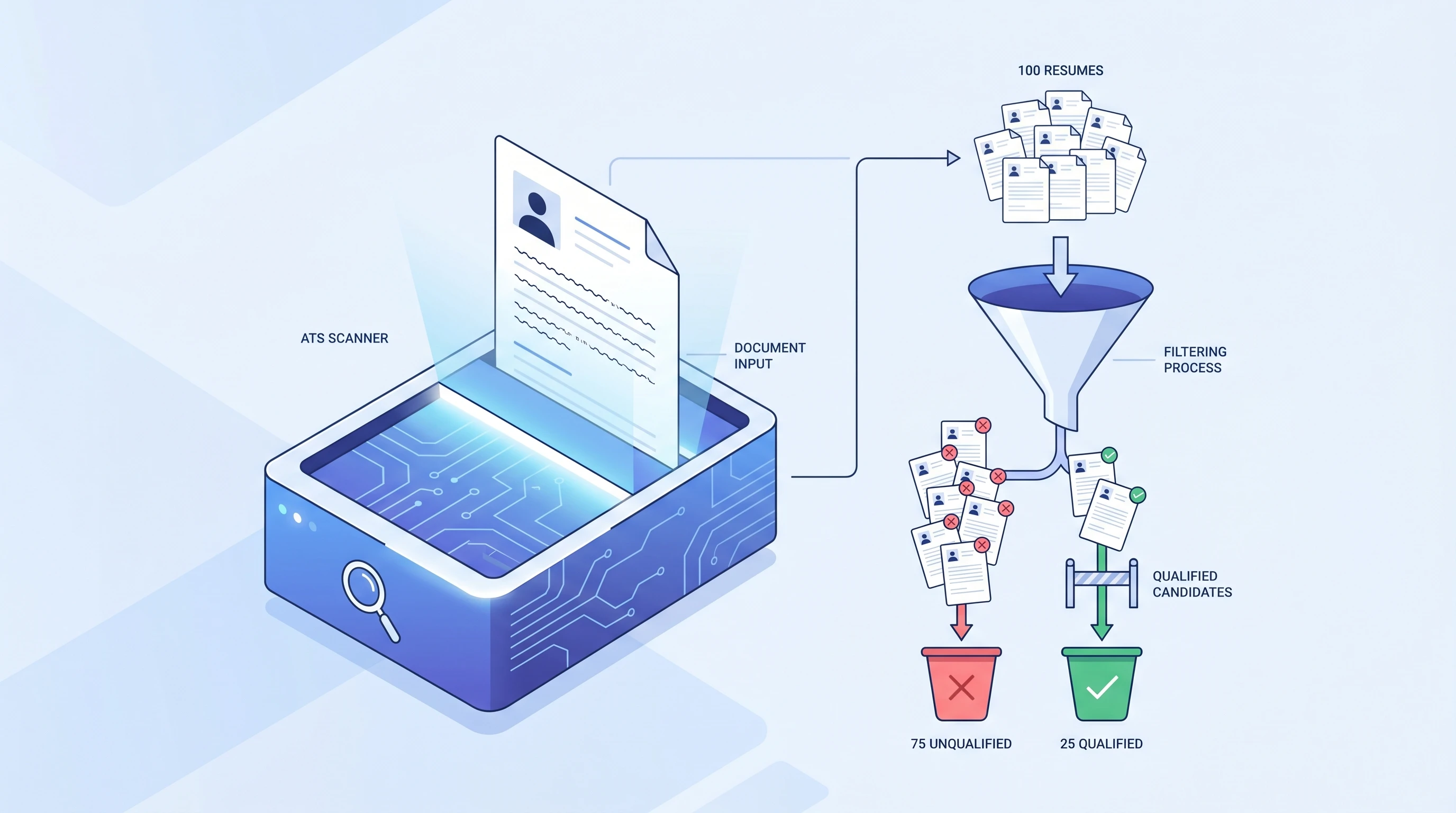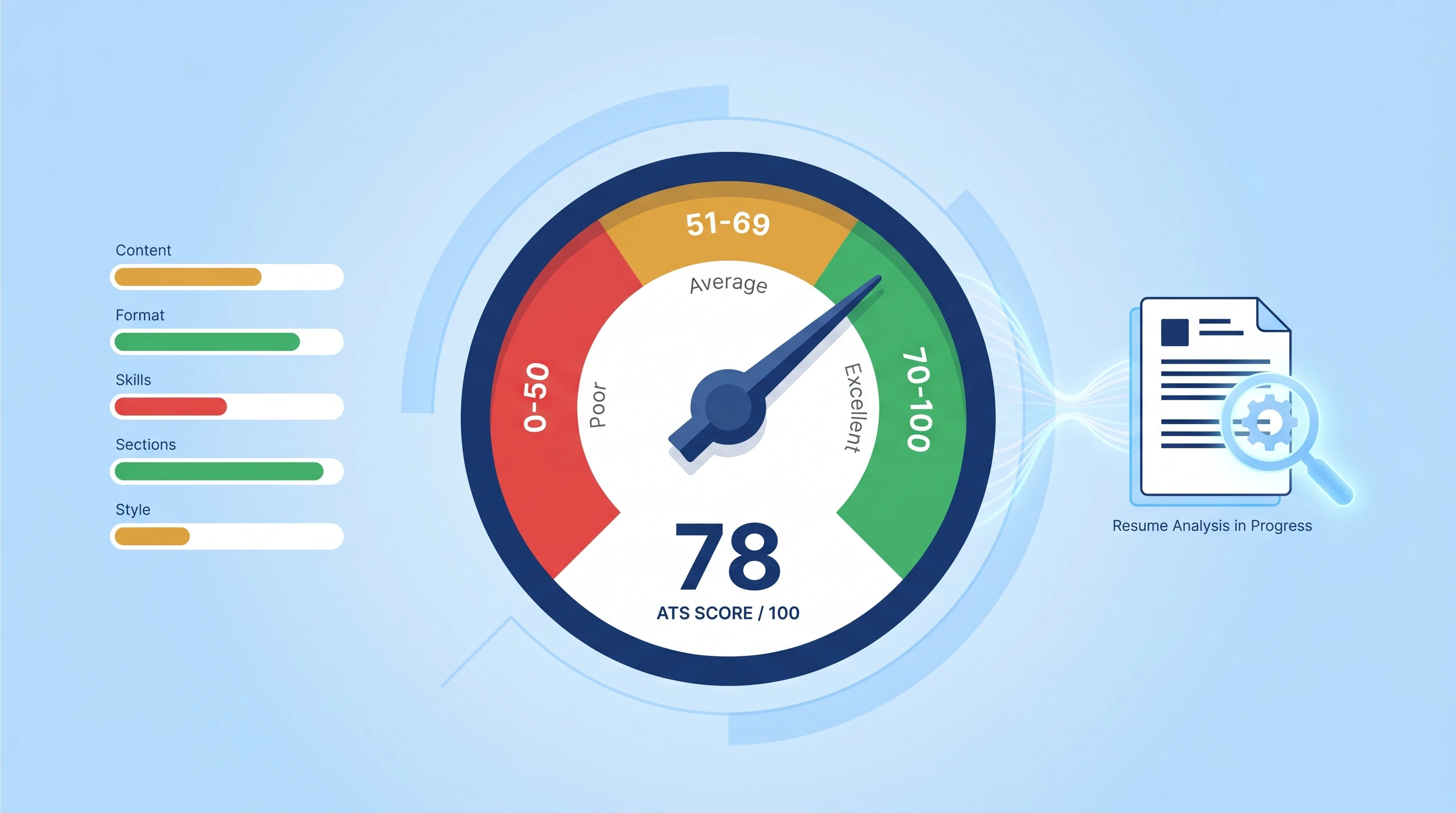
You're applying to roles you're genuinely qualified for and hearing nothing back. The recruiter on the other side isn't dismissing your experience — in most cases, they never see it. An ATS scanned your resume in under 6 seconds, hit one of the silent killers below, and your application got buried under 200 others. Here are the 10 most common ATS mistakes that auto-reject resumes, ranked by how often they actually cost interviews. Run a free ATS scan on your current resume after reading to see which of these you're hitting.
Why the Wrong Format Costs You Interviews — Not Your Experience
ATS rejection risk is real, but the viral claim that a fixed 75% of resumes are automatically rejected is usually overstated. A better source-backed framing is this: the Harvard Business School and Accenture Hidden Workers report shows automated hiring systems can screen out qualified candidates when filters, formatting, or keyword rules misfire. Knowing which mistakes do the most damage is the difference between fixing the right thing in 15 minutes and re-polishing the wrong thing for an hour.
If you're new to ATS mechanics, start with What is an ATS? for the 4-stage workflow context. The 10 mistakes below all map to a specific failure in Stage 2 (parsing) or Stage 3 (keyword matching).
The 10 ATS Mistakes That Auto-Reject Your Resume
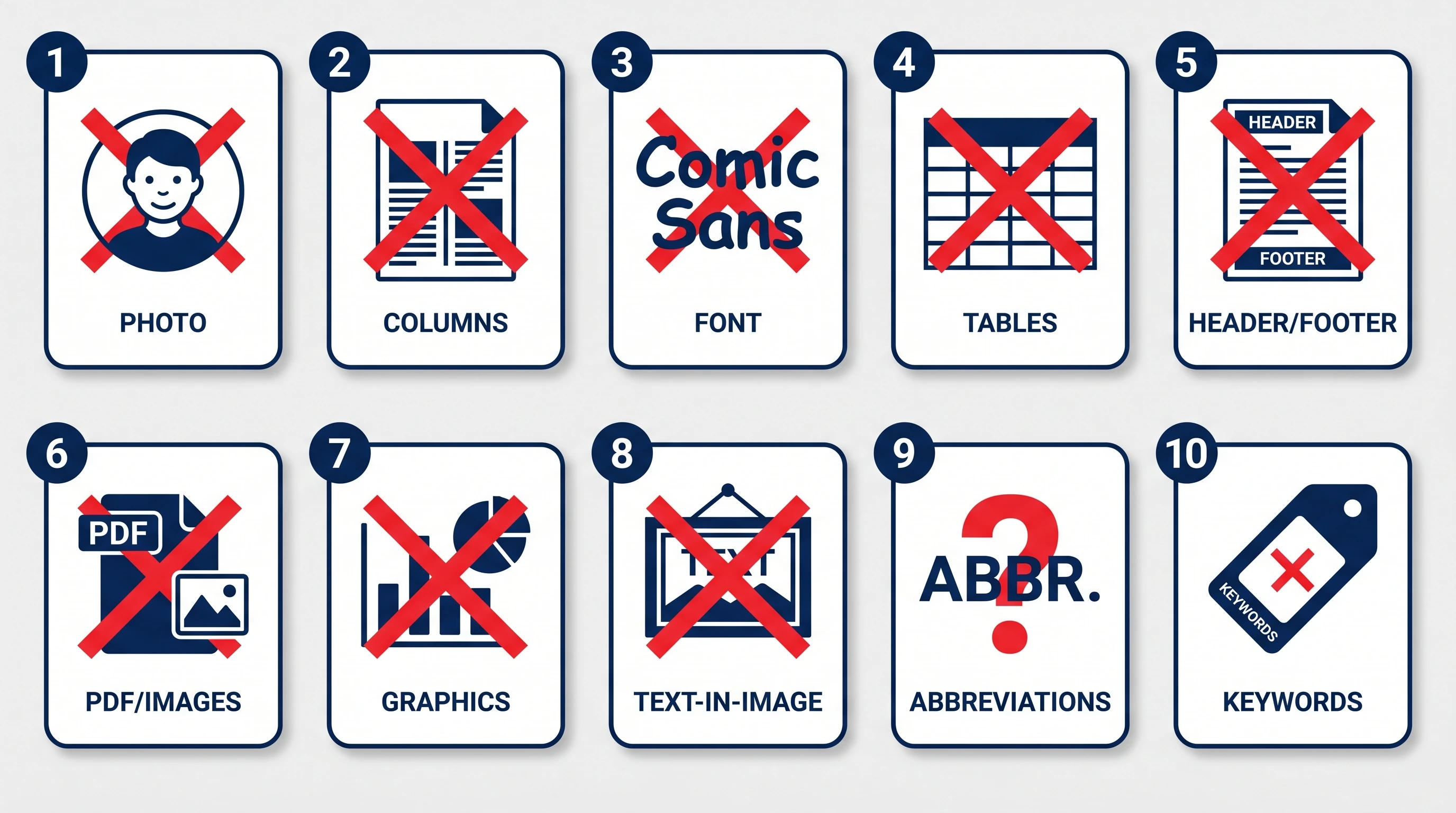
The list below is ordered by estimated frequency × impact — Mistake #1 is the single most common reason resumes get auto-rejected, and the cost drops gradually down the list. None of these are stylistic preferences — they're parser failures that you can measure.
Mistake #1: Two-Column Layout
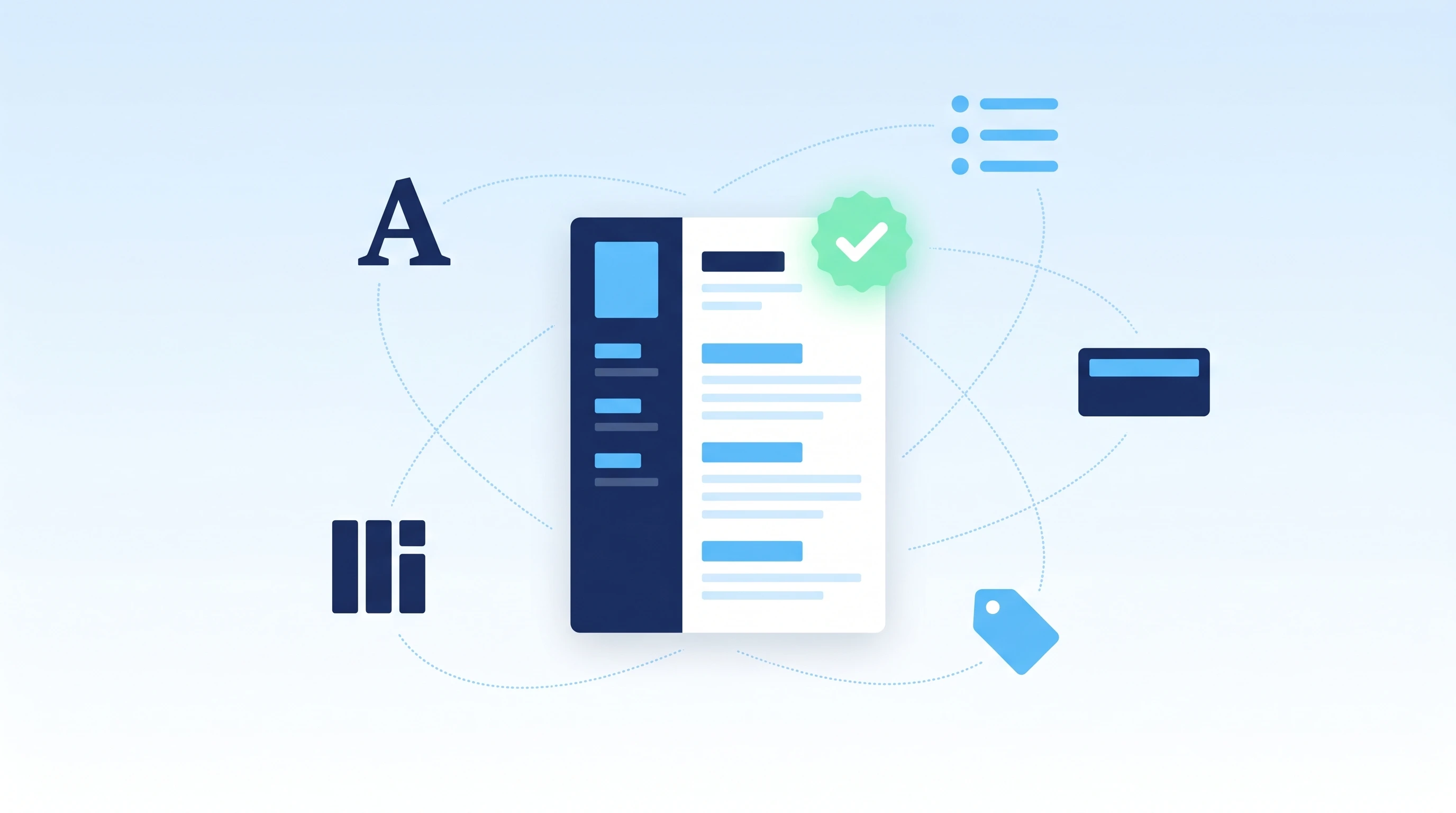
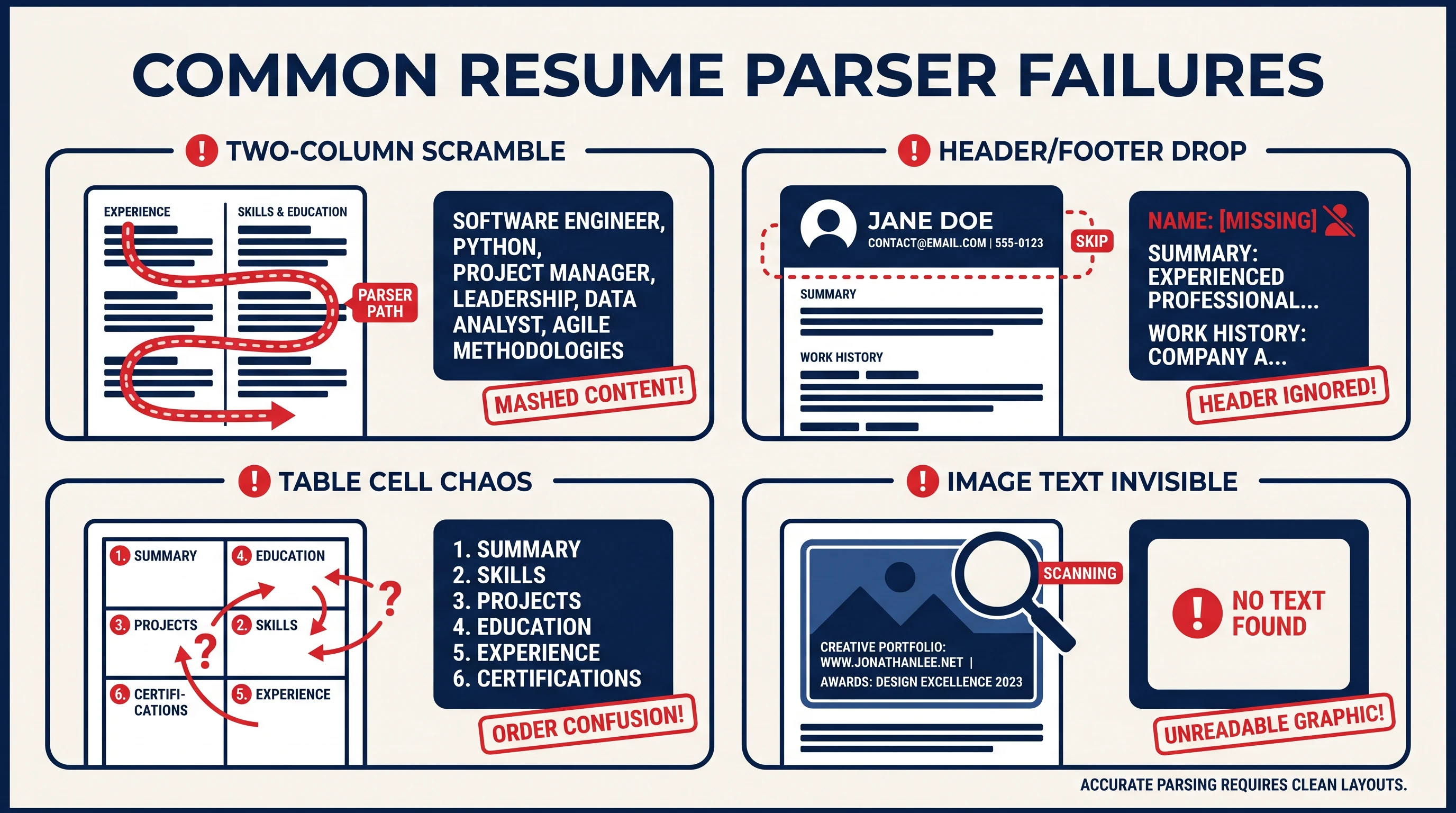
A two-column resume — the kind with a sidebar for "Skills / Contact / Languages" on the left and "Experience" on the right — is the single most common parser killer. ATS parsers read left-to-right across the entire page, so the two columns get interleaved: your first job title gets mashed in with your skills list, your second job's company name gets glued to the languages section. Net result: the recruiter sees a jumbled mess and the keyword scorer can't match anything cleanly.
Fix: Convert to a single column. Yes, the resume will look "plainer." That's the goal.
Mistake #2: Tables & Text Boxes
Tables and text boxes have the same problem as columns, but worse — many parsers give up entirely when they hit a non-trivial table. Your skills laid out in a 3-column table become a single garbled string. Worse, in some ATS implementations the entire resume stops parsing after a broken table.
Fix: Use plain bullet lists. If you want to organize skills visually, use a one-line comma-separated list (Python, AWS, SQL, Docker) instead of a table.
Mistake #3: Headers & Footers for Contact Info
Putting your name + email + phone in Word's header/footer area is intuitive — but most ATS parsers skip headers and footers by default. The result is brutal: your resume gets stored in the candidate database with no name and no contact info. Even if a recruiter searches "John Smith Senior PM" they'll never find you.
Fix: Move your contact info into the body. First line: name in 14-16pt. Second line: email · phone · city. Plain text.
Mistake #4: Photos, Icons, & Skill Star Ratings
Anything inside an image is invisible to the parser. A photo of you, a circular Python logo, a row of "★★★★☆" skill stars — none of it makes it into the database. Worse, an avatar circle in the corner often triggers the parser to skip the surrounding text entirely.
Fix: Delete the photo, delete the icons, delete the stars. Skills go in a plain text list with the skill name spelled out (Python (expert), SQL (proficient)).
Mistake #5: Decorative or Non-Standard Fonts
Comic Sans, Lobster, Brush Script, and most font-foundry display fonts cause character extraction failures — letters come out as junk characters or get dropped entirely. Even some "design-y" sans-serifs (Lato Black, Montserrat Light) can produce garbled output in older parsers.
Fix: Use Arial, Calibri, Helvetica, Times New Roman, or Georgia. Body 11-12pt, name 14-16pt, headers 12pt. No exceptions.
Curious how your resume actually scores?
Run our free 60-second ATS scan to see your match score, missing keywords, and a 20-point diagnostic — before you click Apply.
Try the Free ATS ScanMistake #6: Scanned or Image-Based PDF
If your "PDF" was created by scanning a printed resume, screenshotting a design, or exporting a Canva/Figma project, the ATS sees a single image blob — zero text extracted. Quick test: open the PDF, try to copy a line of text. If the copy result is blank or garbled, the PDF is image-based.
Fix: Re-export from Word or Google Docs ("File > Export > PDF"). Both produce text-based PDFs. Better yet, submit .docx whenever the form allows it.
Mistake #7: Wrong Section Order
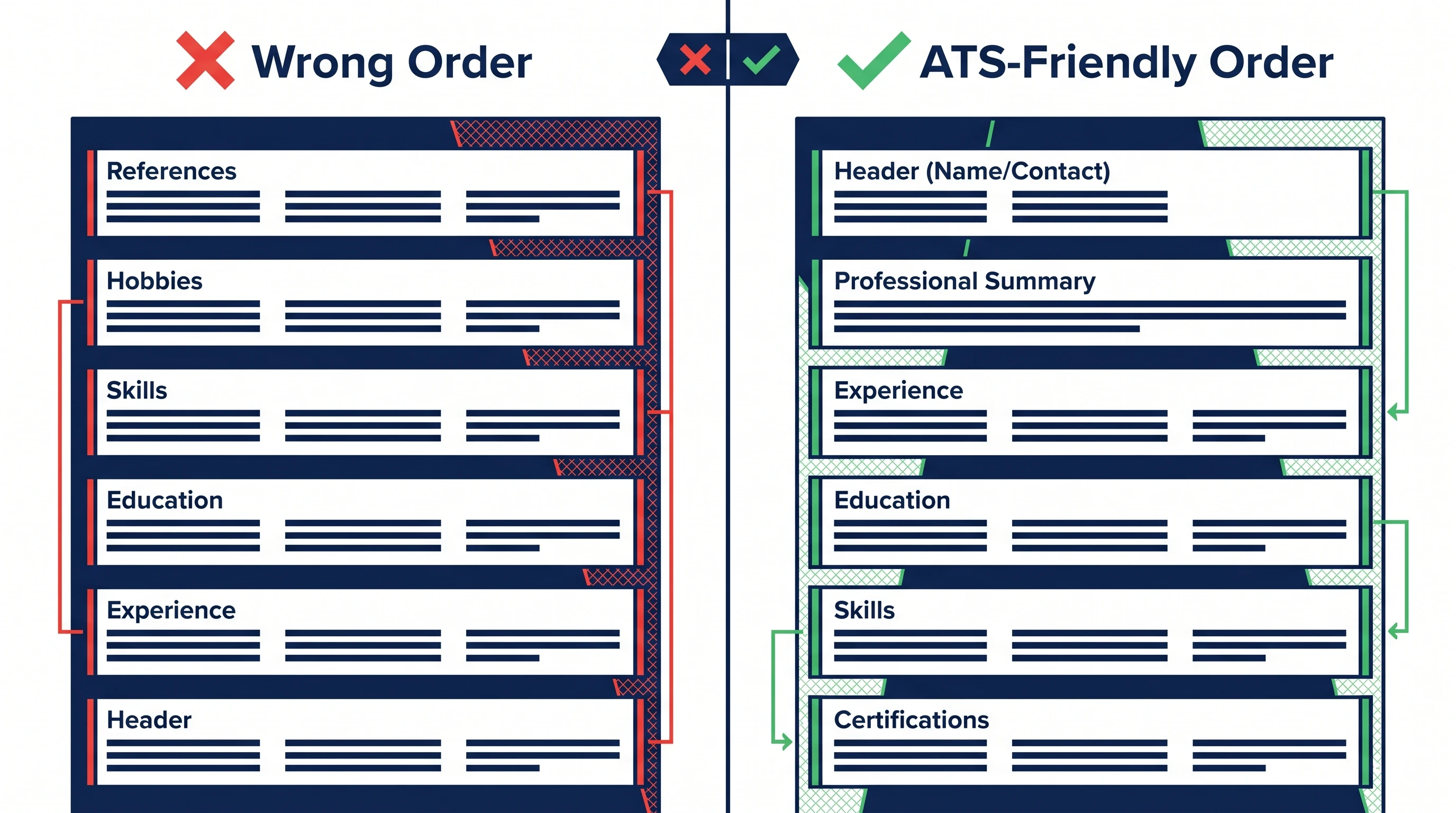
ATS parsers expect a specific section order: Contact → (optional Summary) → Experience → Education → Skills → Certifications. Putting References, Hobbies, or Skills at the top — or hiding Experience after Education — can cause the parser to misclassify the entire block, including your work history.
Fix: Follow the standard order. Recruiters expect it for fast skimming too — there's no upside to creative reordering.
Mistake #8: Creative Section Names ("My Journey," "Toolbox")
ATS parsers slice the document by matching exact section-header strings. Headers like "My Journey," "What I Bring," "Toolbox," or "Adventures" don't match the expected list (Experience, Skills, etc.) — so the entire block under them never gets indexed against the job description.
Fix: Use the standard names: EXPERIENCE, EDUCATION, SKILLS, CERTIFICATIONS, PROJECTS, SUMMARY, LANGUAGES. Plain ALL-CAPS or Title Case both work.
Mistake #9: Missing Job-Description Keywords
The single biggest content failure (Mistakes #1-#8 are format failures): submitting a generic resume that doesn't include the specific phrases from the job description. The ATS keyword scorer does a literal comparison — "JavaScript" doesn't match "JS," "stakeholder management" doesn't match "managed stakeholders." If the top 5-8 phrases from the posting aren't in your resume verbatim, your match score tanks.
Fix: Open the JD, pull the top 5-8 phrases from the Requirements section, and mirror them — exact wording — into your bullets. One natural mention per phrase. See the step-by-step ATS-friendly resume guide for the full tailoring workflow.
Mistake #10: Keyword Stuffing (Especially in White Text)
The opposite of Mistake #9: jamming the same keyword 20 times, or hiding a wall of keywords in white text below the page margin. Modern ATS scorers — and the LLM-based second-pass screeners that most large companies now run — flag invisible-text patterns and unnatural keyword frequency as suspicious. Recruiters who spot the white text auto-reject.
Fix: One natural mention per top keyword. If a phrase belongs in your bullets, write it once where it fits. Trust the scorer.
How Much These Mistakes Actually Cost You
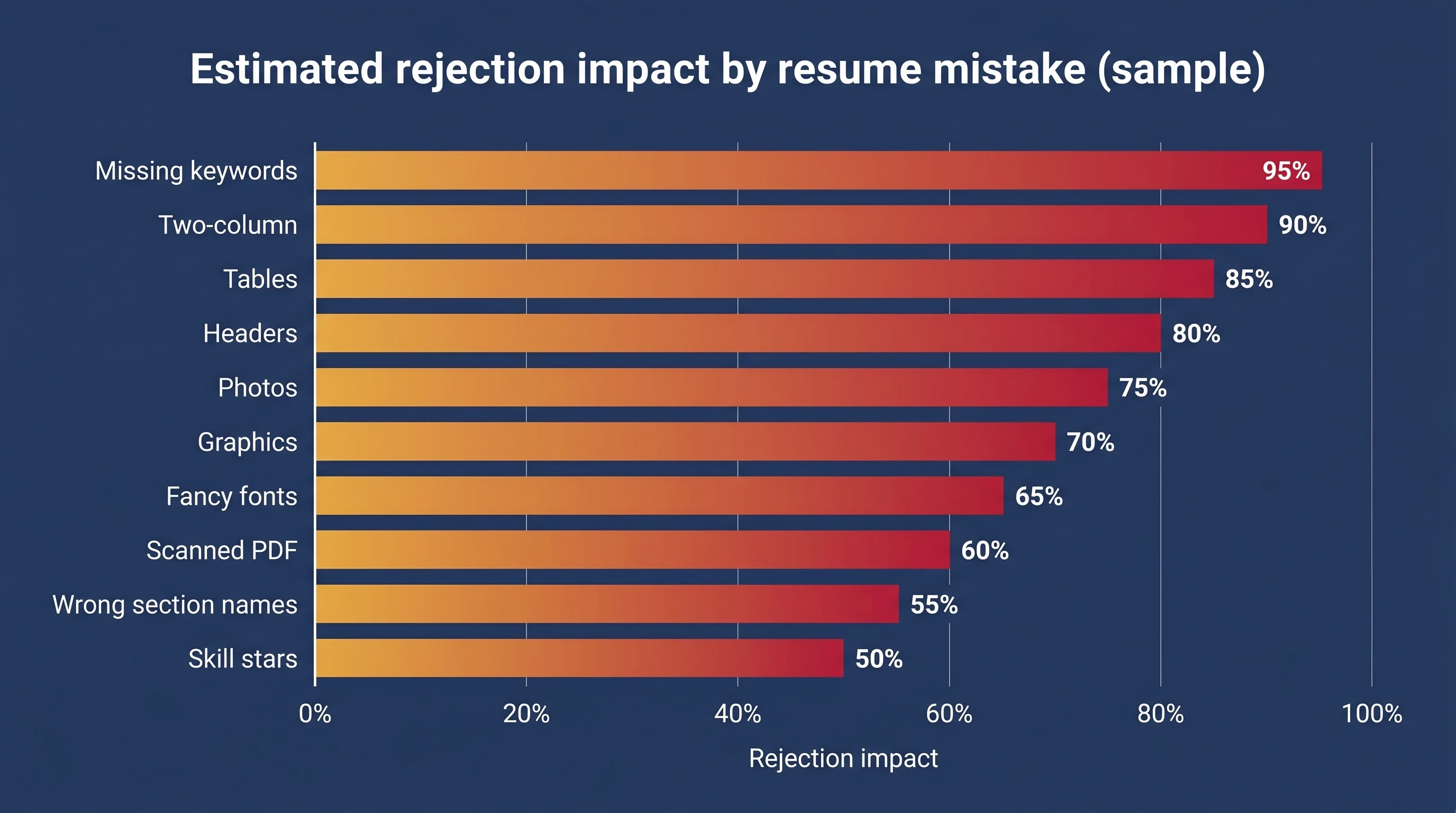
The 10 mistakes above are roughly ordered by frequency × impact, but here's the practical takeaway from running thousands of resumes through ATS scanners:
| Mistake category | Approx rejection impact | Time to fix |
|---|---|---|
| Scanned PDF (Mistake #6) | ~95% (resume effectively invisible) | 2 min — re-export |
| Two-column layout (Mistake #1) | ~85% (most fields get scrambled) | 10 min — restructure to single column |
| Headers/footers contact info (Mistake #3) | ~70% (name often missing in database) | 1 min — move to body |
| Missing keywords (Mistake #9) | ~65% (score below threshold) | 10 min per posting — tailor |
| All other format mistakes (#2, #4, #5, #7, #8, #10) | ~30-55% each | 1-5 min each |
The single biggest "silent killer" is the scanned PDF (Mistake #6). It's the only one where the ATS extracts zero text from your resume — you might as well have submitted a blank document. Always test by trying to copy a line of text from your PDF before you submit.
Scan your resume against any job — free
Drop your resume and the job description. Get your ATS match score, missing keywords, and rewrite suggestions in under 60 seconds. No card required.
Start Free ScanHow to Audit Your Resume in 10 Minutes
The fastest audit:
- Try to copy text from your PDF (if PDF). If nothing copies, it's image-based — re-export immediately.
- Open in Word, switch to "Outline" view. If your section headers don't show up as headings, the parser won't recognize them either.
- Check the header/footer area. If your name is up there, move it to the body.
- Run the resume through an ATS scanner with the actual JD. The scanner will surface the top 3-5 issues to fix.
Most resumes have 3-5 of the 10 mistakes above, not all 10. Fix the top 3 — usually Mistake #1, #3, and #9 — and your reply rate jumps within a week.
Frequently Asked Questions
Which ATS mistake gets the most resumes rejected?
The single biggest silent killer is the scanned or image-based PDF (Mistake #6) — the ATS extracts zero text from it, so the resume is functionally invisible. The second-biggest is the two-column layout (Mistake #1), which scrambles fields and tanks the match score.
Will fixing these mistakes actually improve my interview rate?
Yes — and the effect is fast. Most candidates who fix the top 3 format mistakes (single column, contact in body, text-based PDF) plus add the JD's top keywords (Mistake #9) see their reply rate double within 2-4 weeks of applying with the corrected resume.
Is a one-column resume too boring for senior roles?
No. Senior recruiters and hiring managers explicitly prefer single-column resumes for fast skimming (6-8 seconds on first pass). "Visual creativity" in a resume is a junior-portfolio convention; senior roles are judged on the strength and clarity of the experience, not the design.
What's the worst font choice for an ATS resume?
Decorative / display fonts: Comic Sans, Lobster, Brush Script, and most "designer" weights like Lato Black or Montserrat ExtraLight. They cause character extraction failures in many parsers. Stick to Arial, Calibri, Helvetica, Times New Roman, or Georgia.
Can I include a photo if it's required in my region?
For regions where photos are conventional (parts of Europe and Asia), keep the photo small and in the corner, and ensure all your contact info is still in plain text in the body. The photo itself is invisible to the parser; the risk is the photo's text box causing nearby text to be skipped. If in doubt, omit the photo for ATS-scanned roles.
How do I check whether my resume has any of these 10 mistakes?
Run it through an online ATS resume scanner with the actual JD. A good scanner will flag every format issue, missing keyword, and parser risk in under a minute, ranked by impact. Scan free here — no signup required for the first scan.