ATS-friendly
Single Column
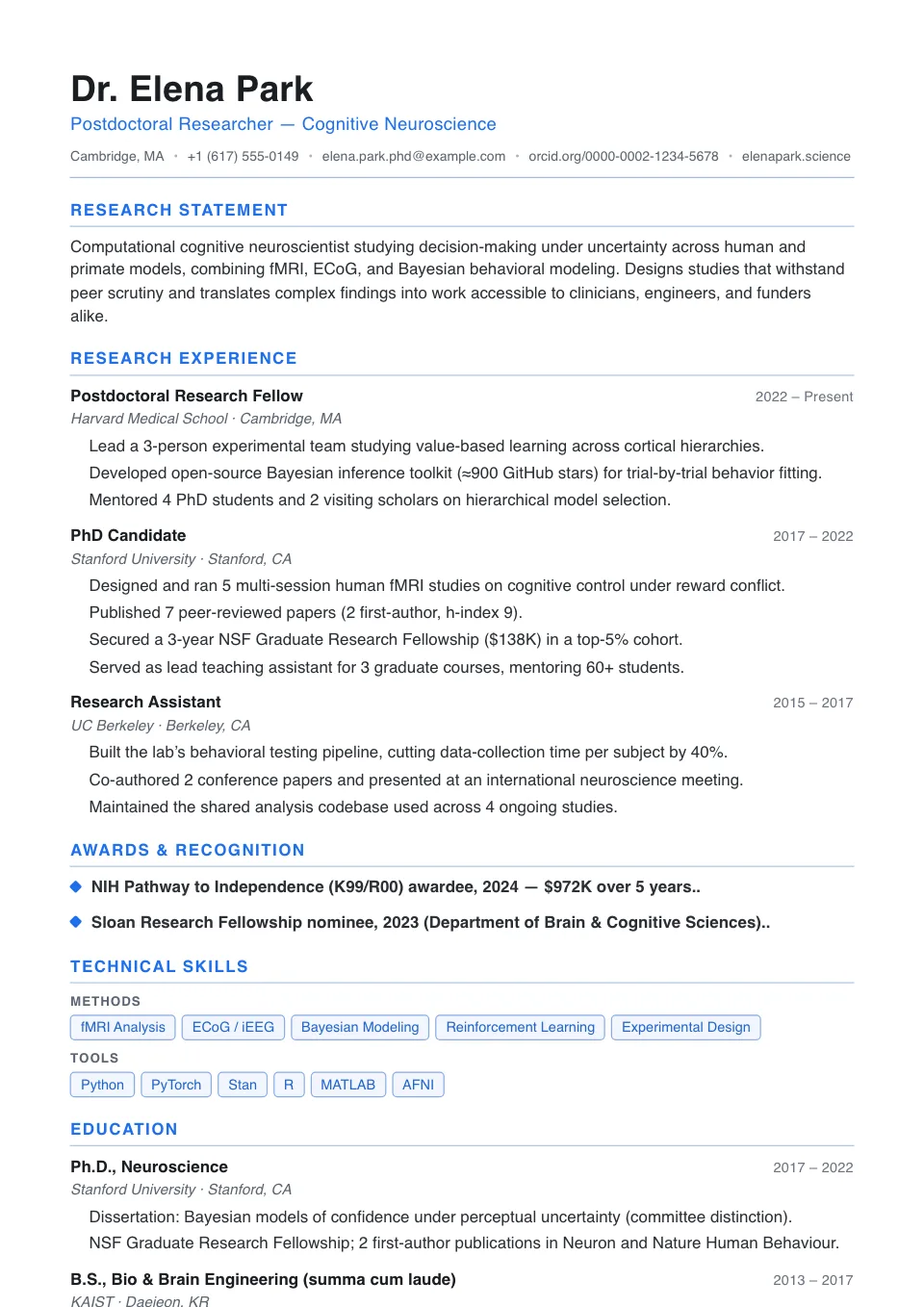
One clean full-width column with thin section rules — the most parser-friendly layout, built to clear Workday, Taleo and Greenhouse line by line.
General applications and ATS-first submissions
Most resume builders only claim to be ATS-friendly. This free online resume builder scores your resume against a real ATS engine while you write. It's also an AI resume maker that helps you fix what fails.
Free to start. No sign-up to build. PDF & DOCX export.
From ATS-friendly classics to bold, design-led layouts — pick the one that fits your field, then make it yours in the editor.
One clean full-width column with thin section rules — the most parser-friendly layout, built to clear Workday, Taleo and Greenhouse line by line.
General applications and ATS-first submissions
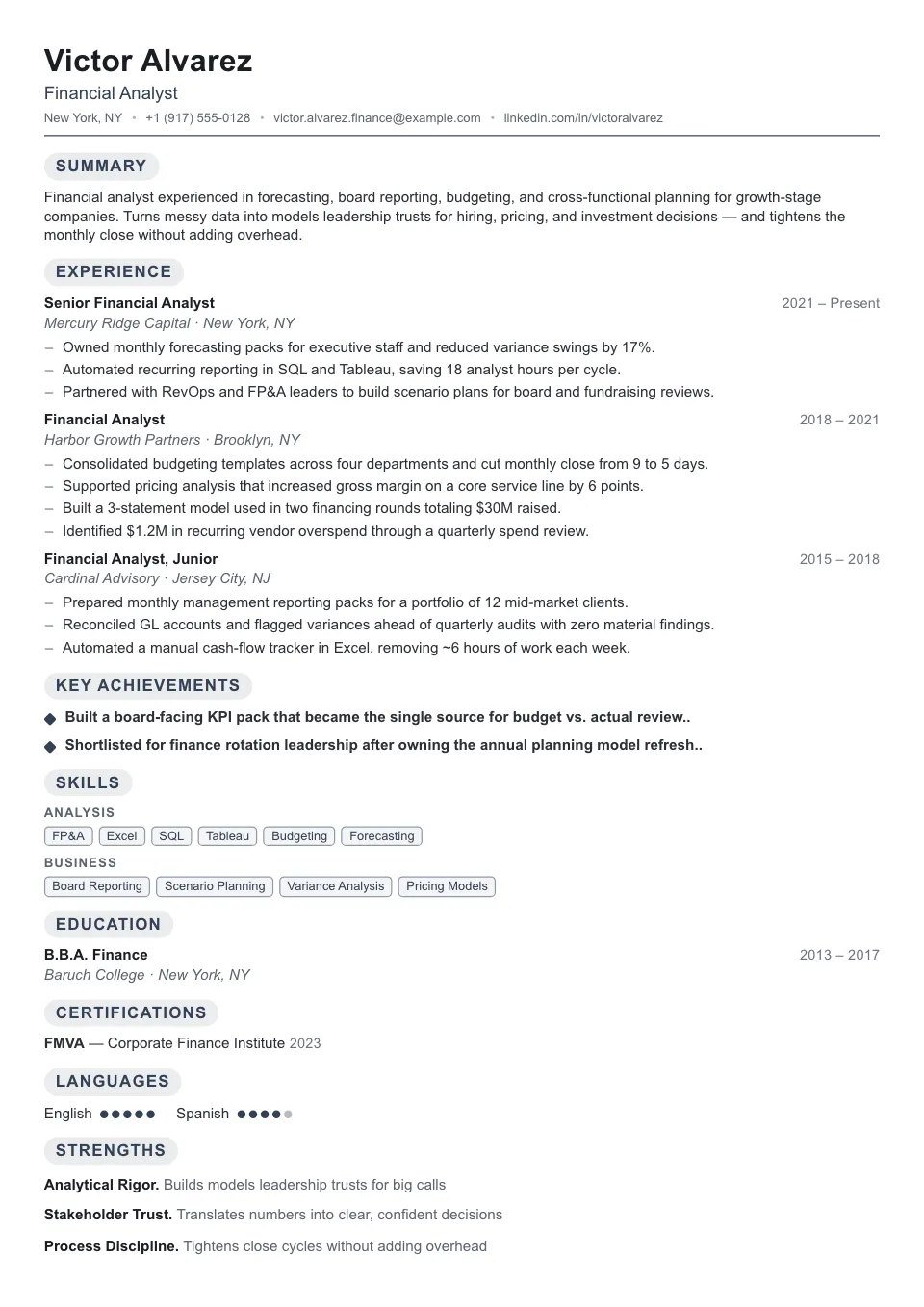
The densest single column we ship: trimmed spacing and plain headings to fit a senior career on one page without losing scannability.
High-volume job searches and fast ATS submissions
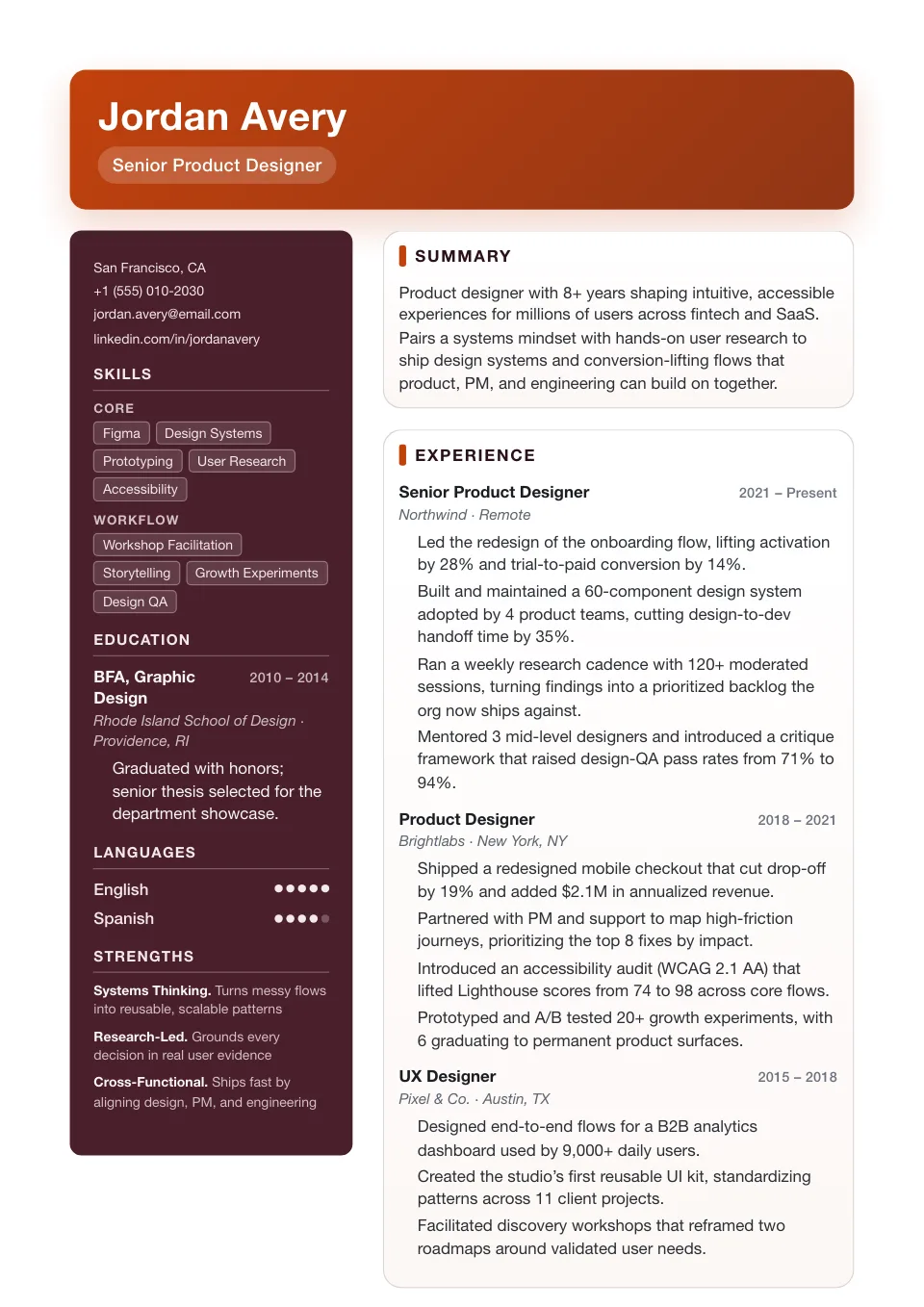
An accent-driven burgundy sidebar carries personality without freeform chaos — a stronger visual first impression for creative fields.
Creative industries that reward a stronger visual first impression
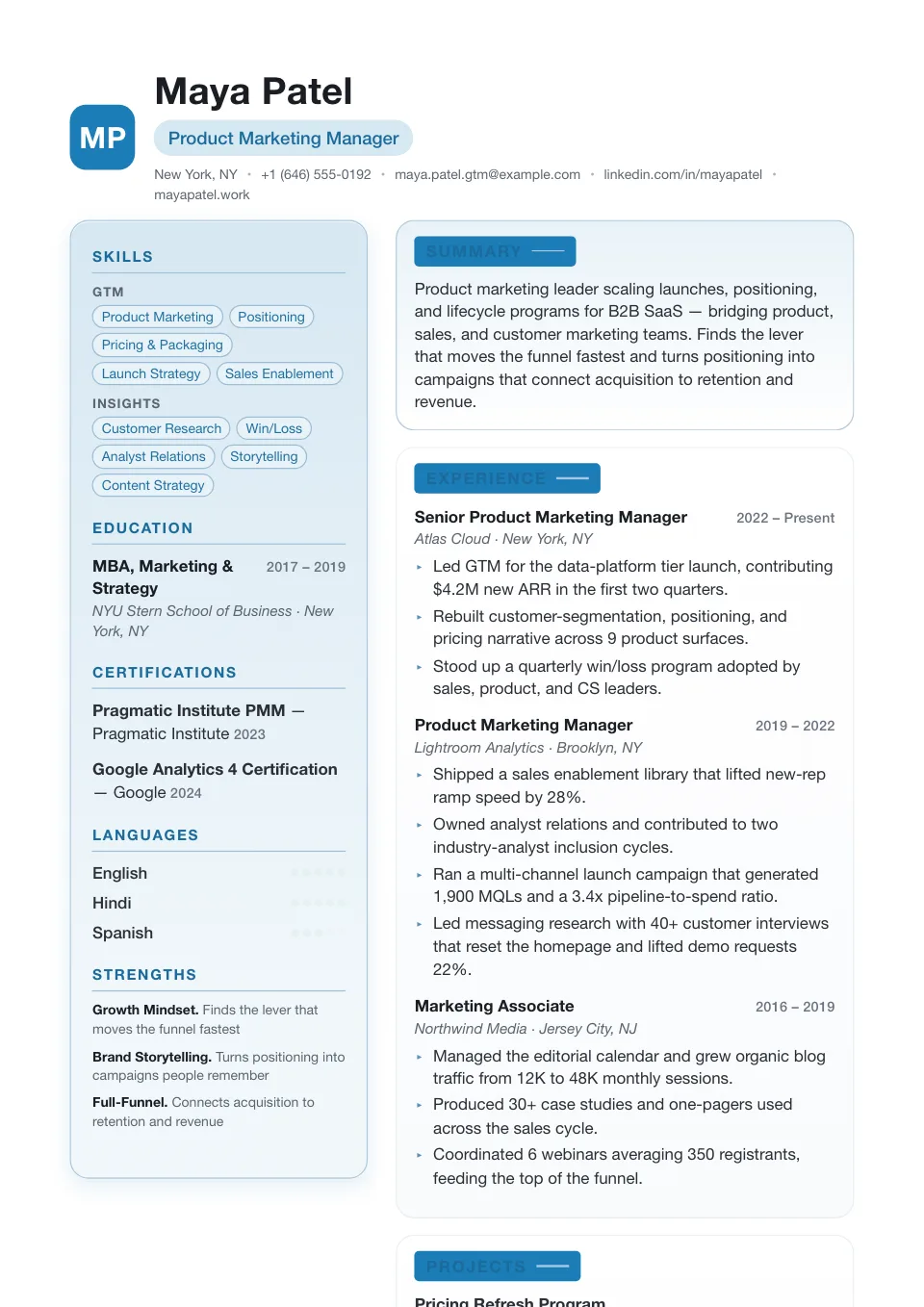
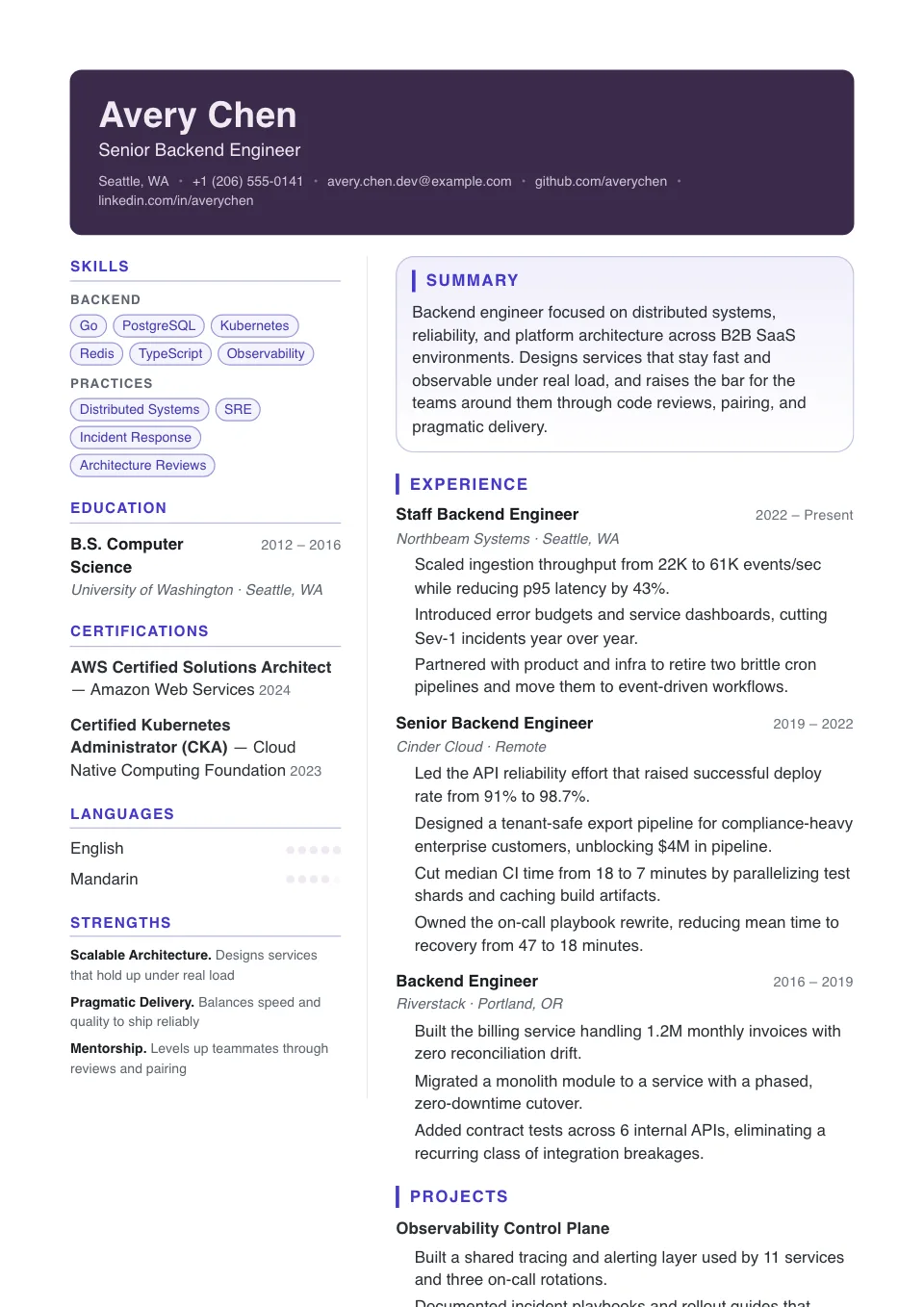
A monogram initials mark over a light teal two-column with reversed-block headings — editorial and modern without losing clarity.
Brand, growth, and modern business roles that benefit from a stronger visual frame
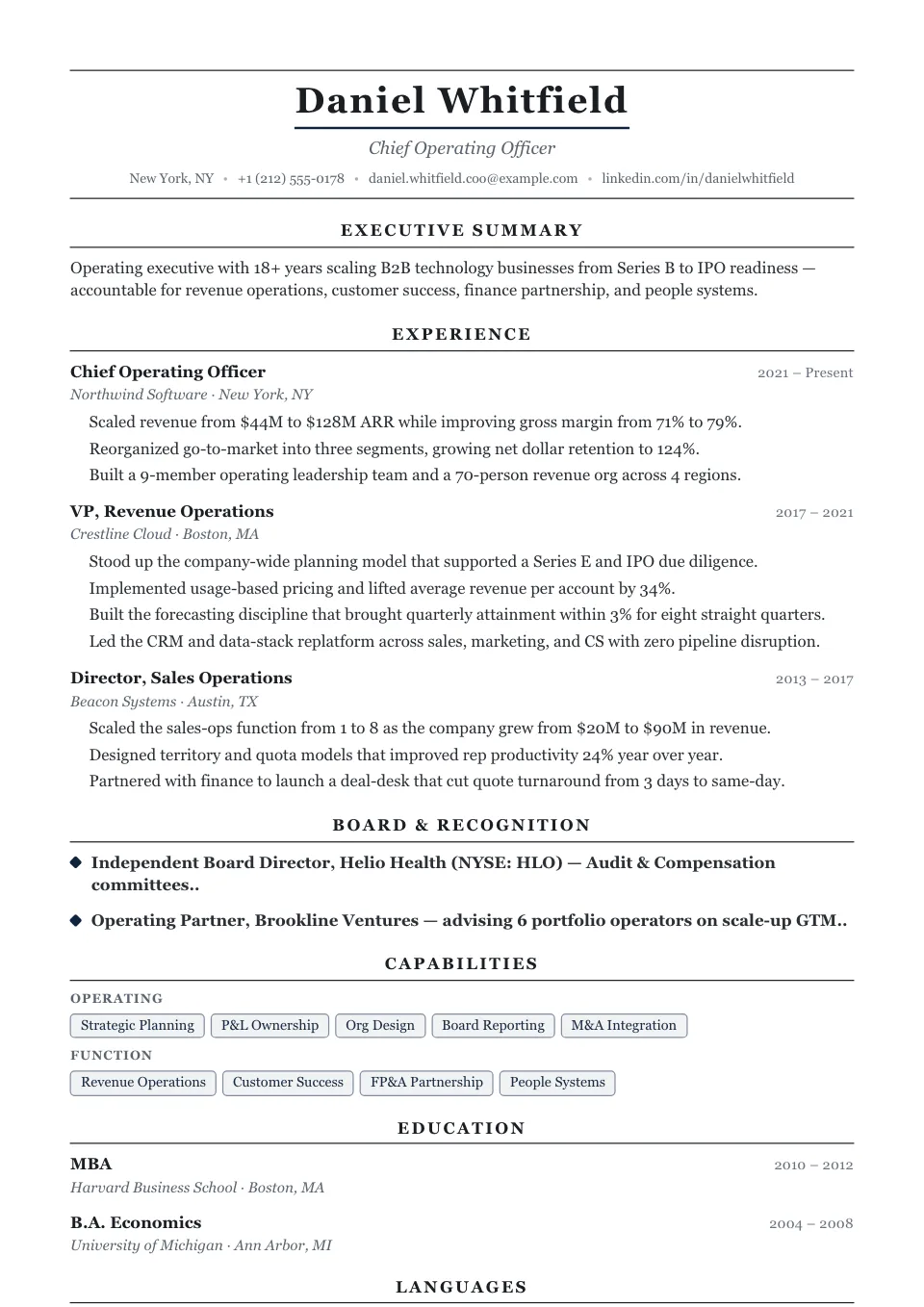
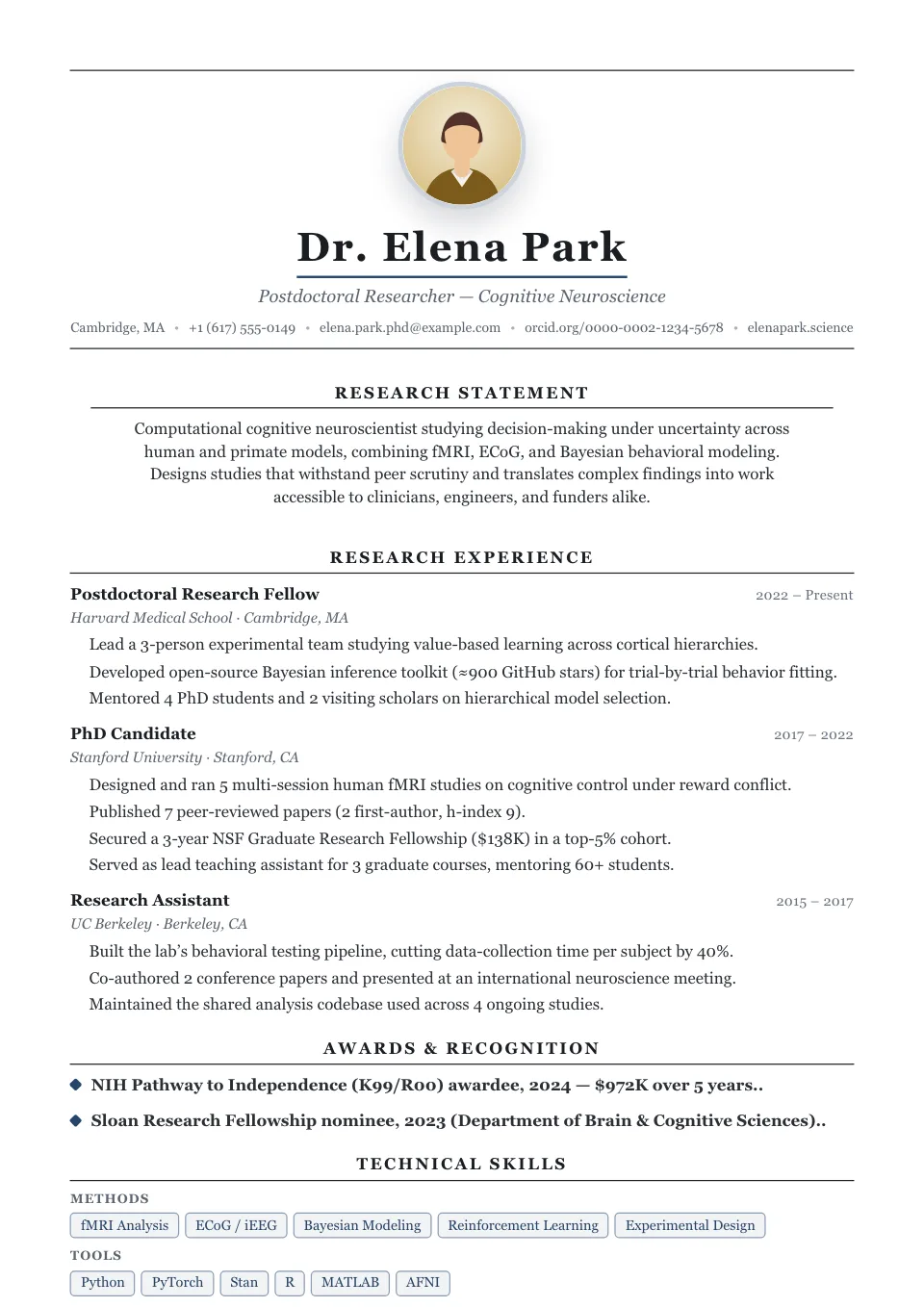
Centered, serif-led and quietly prestigious, with a ruled name and centered headings — consulting, academia, law and the C-suite.
Consulting, academia, law, and executive roles
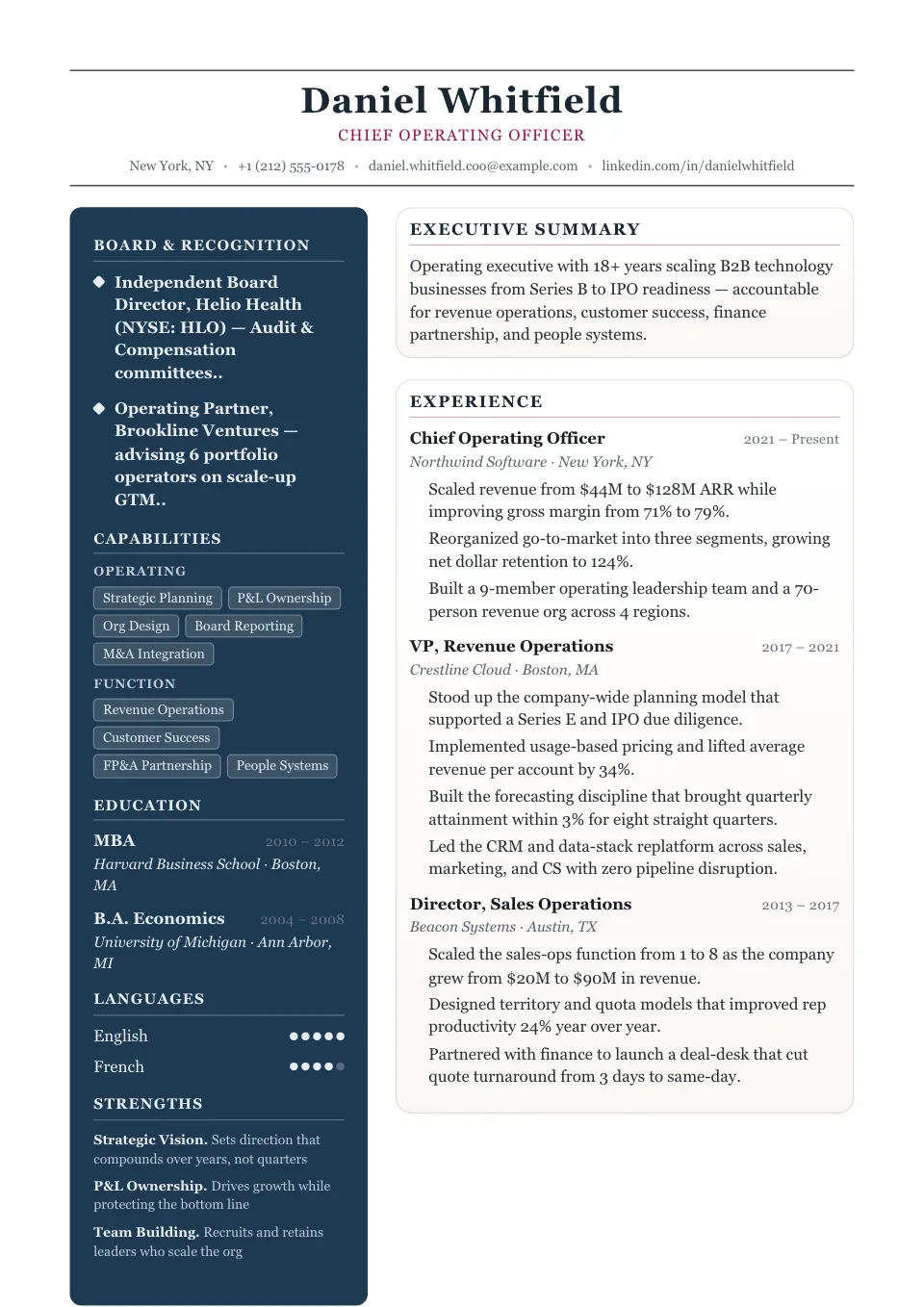
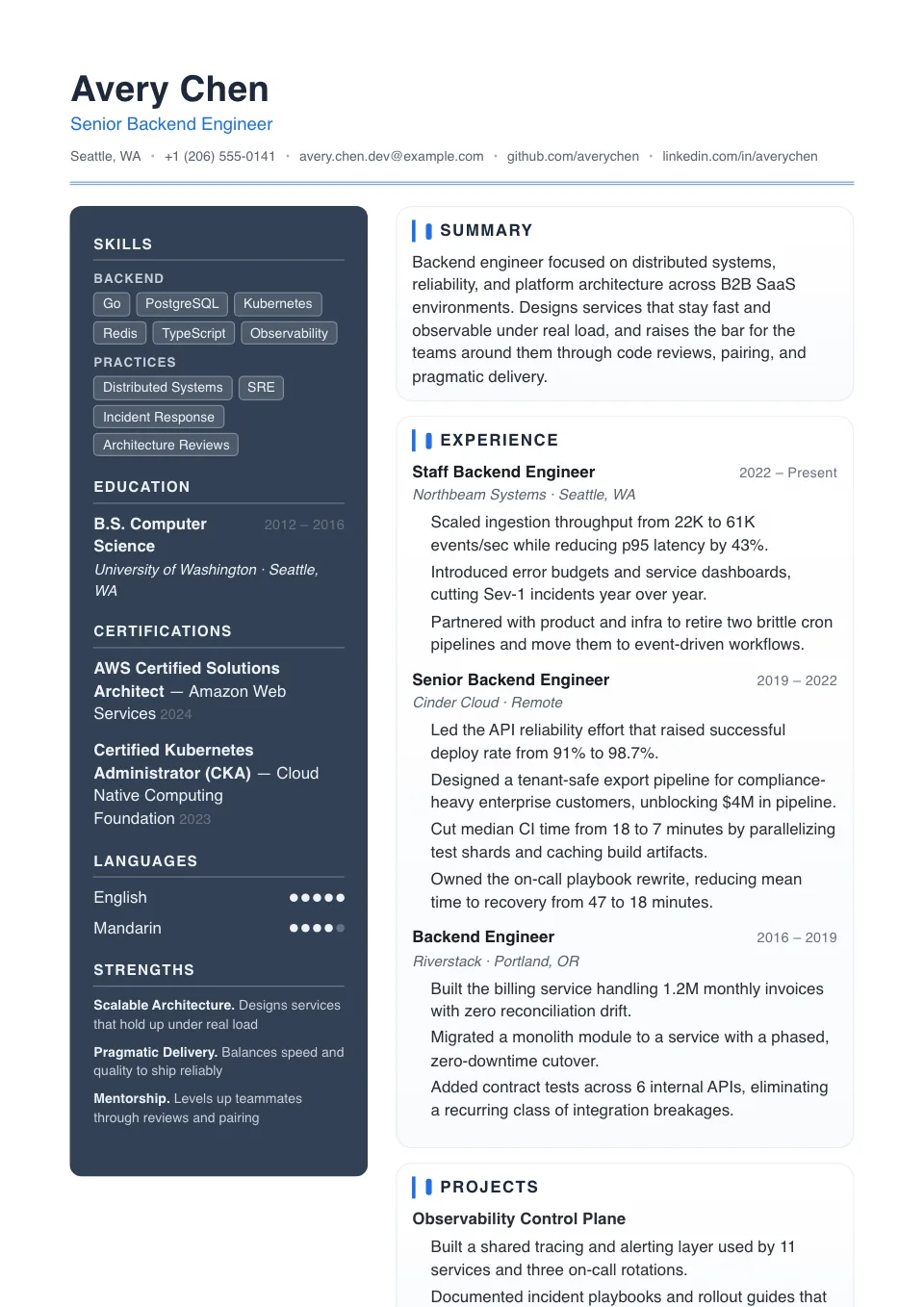
A deep navy sidebar carries contact, skills and languages in light type while a serif main column gives experience room to breathe — the quietly prestigious two-column.
Client-facing, luxury, hospitality, and polished executive roles
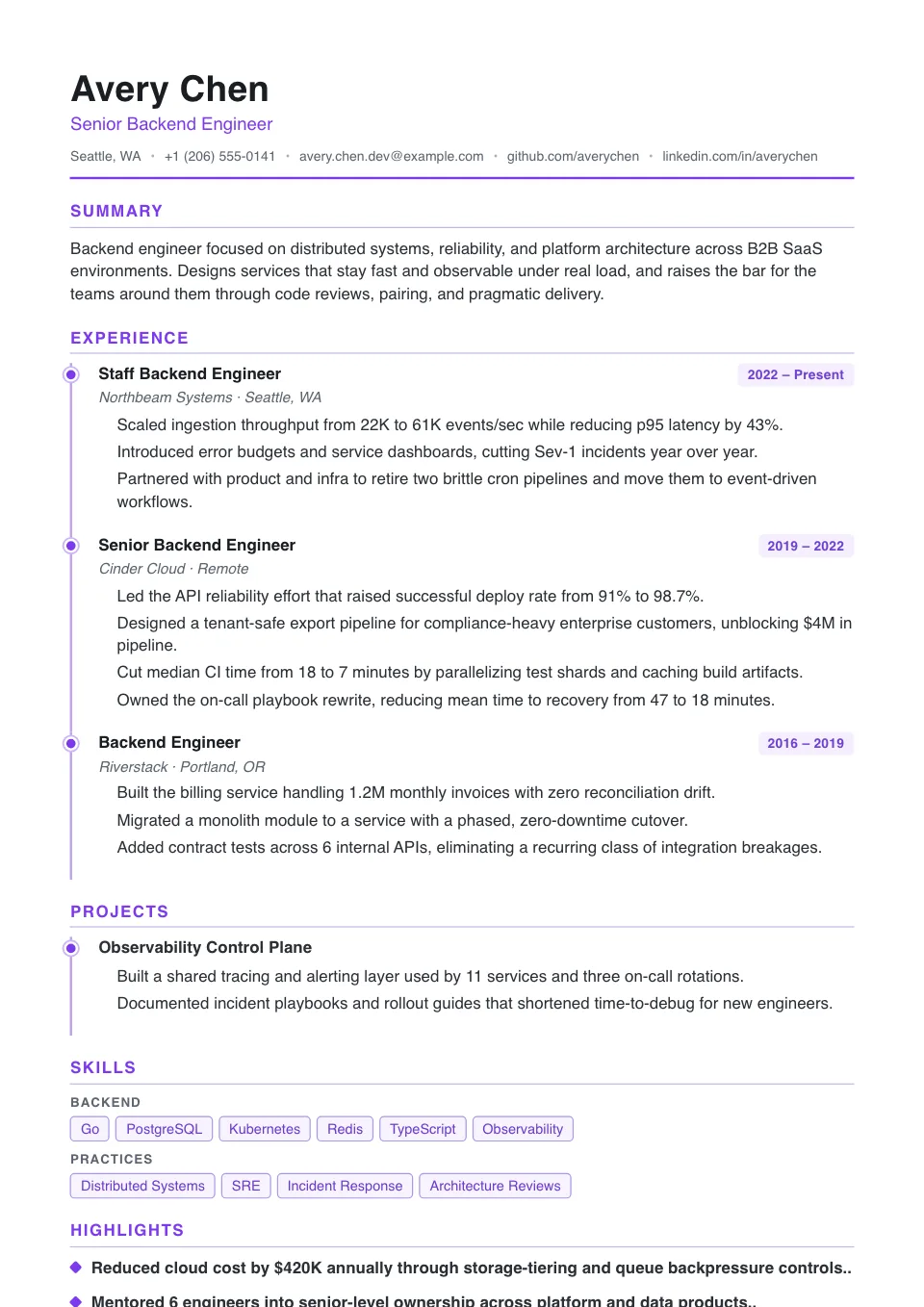
A vertical timeline rail with disc nodes makes career progression obvious at a glance — chronology-first.
Career stories with visible progression and promotions
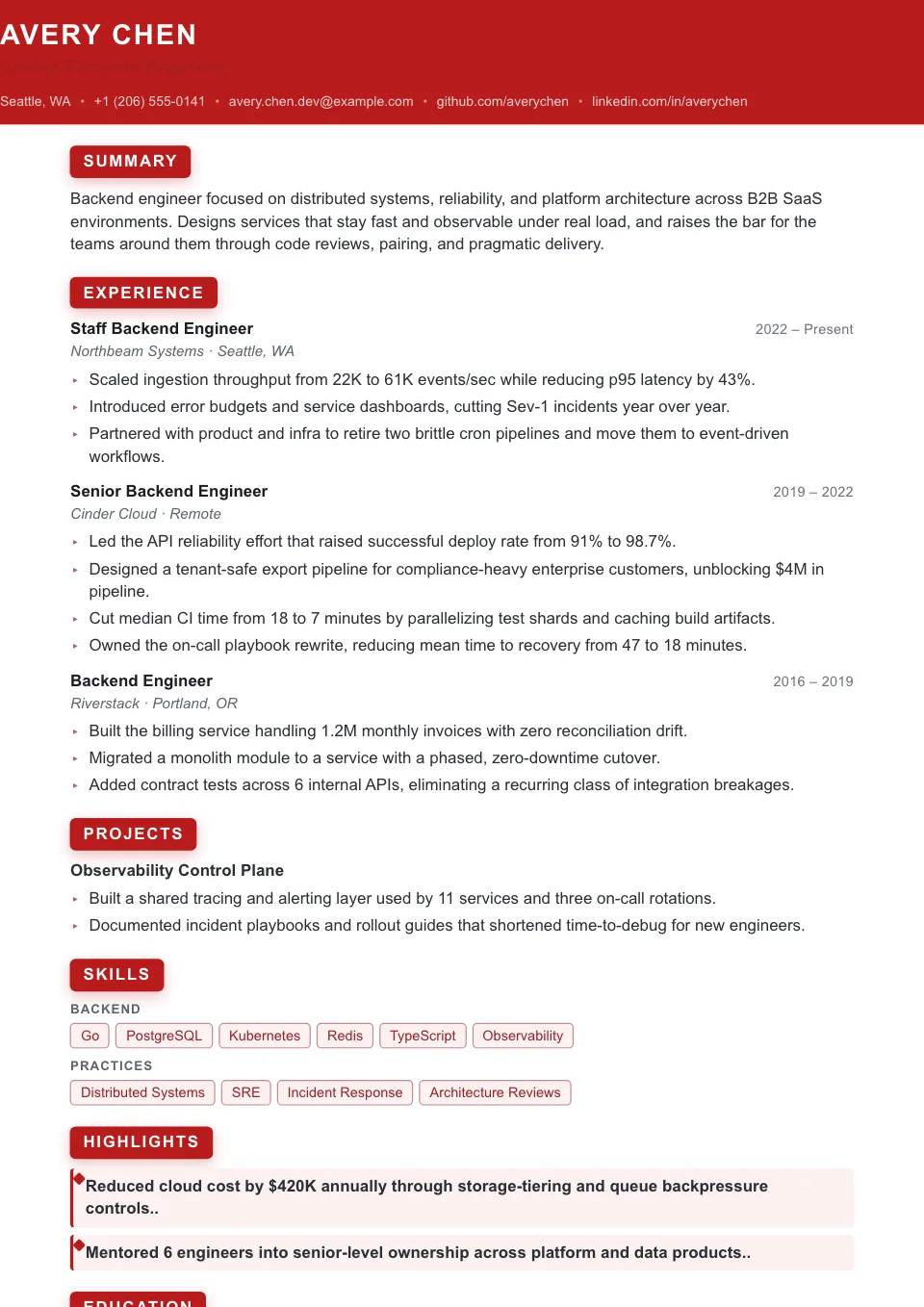
A full-width red masthead and reversed-block headings put quantified wins front and center — bold and metrics-first.
Metrics-heavy resumes that need stronger emphasis
The best resume builders combine layout, content, real-time ATS scoring, and export into one uninterrupted application flow.
Start with ATS-friendly structure or switch to a more visual layout later.
Bring in your old resume, paste your profile, or let AI generate a first version.
Rewrite bullets, fill keyword gaps, and check ATS fit before you export.
Download crisp PDF or DOCX, generate a matching cover letter, and share a read-only link.
A genuine ATS engine grades your resume the instant you type, the same way recruiter software parses it. Paste a job description to surface every missing keyword, see which sections drag your score down, and jump straight to the fix. And it stays the same score on every scan — never a number that shuffles around to pressure an upgrade.
Type on the left and your resume redraws on the right in real time — no refresh, no nasty surprises at export. Drag sections to reorder, add or hide any block, and switch between dozens of templates without losing a single word or breaking your layout. What you build is exactly what a recruiter opens.
Start from a job title and let AI draft a complete first version in seconds, then rewrite flat bullets into sharp, results-driven lines and tailor the wording to each role. It inserts placeholders that prompt you for real numbers instead of inventing them — so your resume reads stronger without a single fabricated metric.
Download exactly what you see: a crisp, recruiter-ready PDF that keeps every margin, font, and color pixel-perfect, or a clean DOCX whose plain structure both humans and the ATS parse flawlessly. No broken columns, no scrambled bullets, no "please re-upload" — just one click to a file that is ready to send.
Other resume builders make you write first and check somewhere else. This free resume builder brings real ATS scoring into the editor, so every edit moves you closer to an interview.
Enhancv links templates to ATS checks, import flows, cover letters, and tailoring. FlowCV wins on simple design control. Kickresume wins on polished presentation. We bring those strengths together around a real ATS workflow.
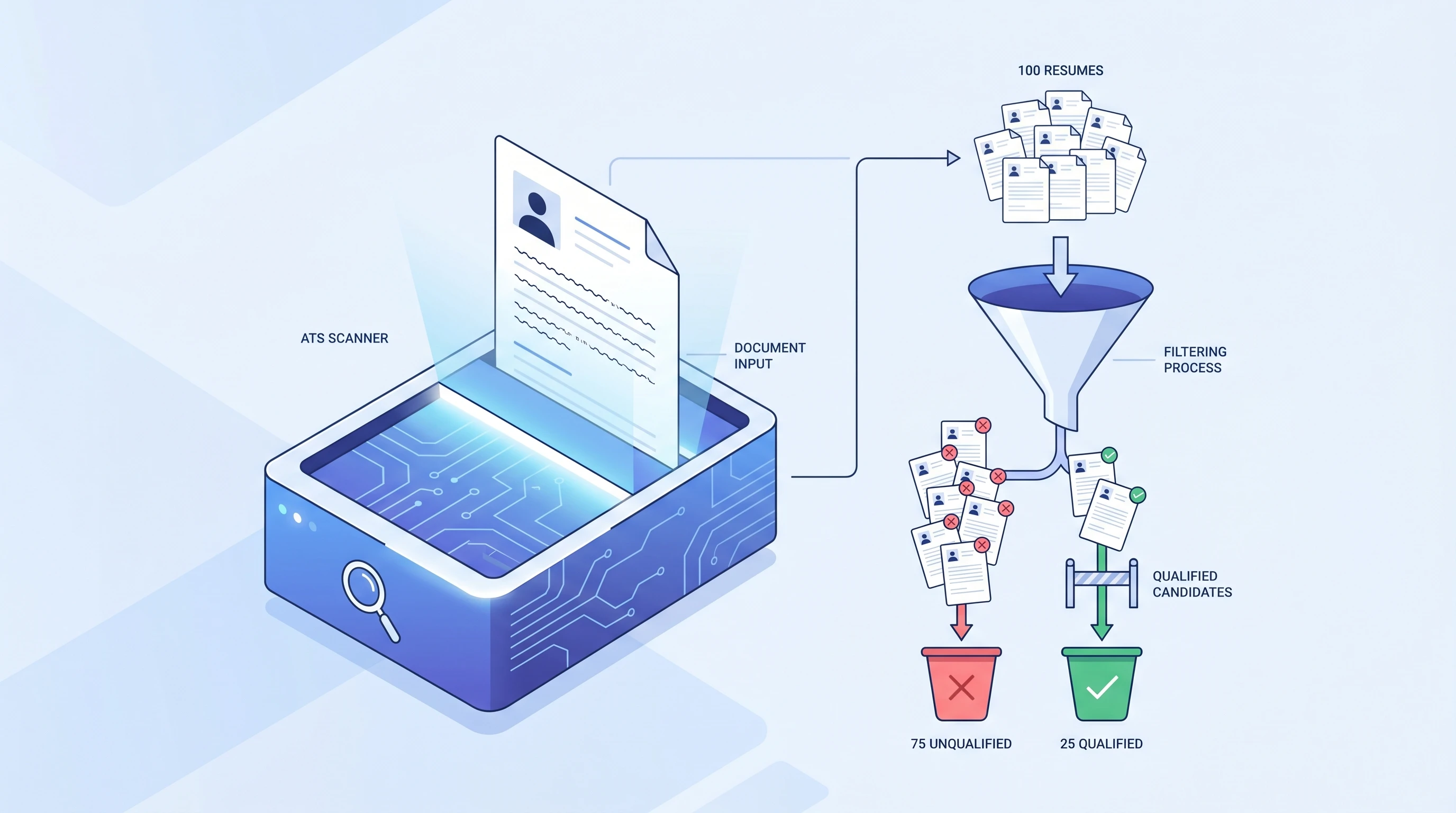
Eight quick answers covering Free vs Pro, real ATS scoring, importing an existing resume, AI drafting, JD tailoring, template switching, matching cover letters, and what formats you can export or share.
Yes — this free resume builder works without sign-up: you can build, switch templates, drag-reorder sections, undo/redo, upload a photo, and autosave as a guest. Sign-in is required to run an ATS Check or download anything. Free signed-in users get the full ATS score, one polished PDF export, two AI drafts, and two AI imports. Pro unlocks unlimited PDF/DOCX exports, AI rewriting (Improve / Suggest), AI cover letters, and public share links.
The ATS Check panel uses the same scoring engine that powers our ATS Resume Checker — 20 individual checks across content, format, skills, sections, and style. No fake numbers. Single-column templates are labelled ATS-friendly, and two-column / sidebar layouts carry a "use with care" badge because some older parsers can read them out of order.
Yes. Upload a PDF or DOCX (up to 4MB) and AI extracts your contact details, summary, experience, skills, education, and certifications into the structured editor. You can also paste plain text — for example a LinkedIn export — same flow. Sign-in required; Free includes 2 imports, Pro is unlimited.
Enter a job title and our AI resume builder drafts a full first-version resume for you (Free includes 2 drafts; Pro is unlimited). AI doesn't invent numbers — it inserts clearly-marked placeholders like `[quantify, e.g. by 20%]` for you to fill in. Pro only unlocks per-paragraph Improve (shorter / longer / proofread / more confident / more professional) and Suggest (AI-generated experience bullets).
Paste a job description into the ATS Check panel and we score your keyword gap. Click any missing keyword chip and we insert it into your Skills section. To compare two finished resumes side-by-side, use the Compare page (`/builder/compare`). To track changes on one resume over time, the editor toolbar has History → Save version / Restore.
All 50+ templates share a single rendering engine with theme presets — switching templates only swaps the theme variables (layout, accent color, fonts, spacing); not a single character of your content is lost. You can preview templates in the Design & Font panel before committing.
Every resume can have a matching cover letter. Creating, editing, and saving cover letters is free (with sign-in). The AI generator (uses your resume + optional company name + optional job description) and PDF / DOCX export are Pro features.
Exports are pixel-perfect PDF (matches your editor preview exactly) and ATS-parseable DOCX (Word 2007+, and it opens straight in Google Docs too). Pro users can also turn on a public share link (`/r/<id>`) for read-only viewing without sign-in — toggling it off rotates the token immediately, so previously shared links return 404.
Check, build, format, and write — every tool shares the same ATS engine, so your resume and cover letter stay consistent end to end.
Upload your resume for an instant ATS score and 20 actionable checks across content, format, skills, and style.
Check my resumeGenerate a job-matched cover letter that pairs with your resume and stays clean enough for any applicant tracking system.
Write my cover letterBrowse free, ATS-friendly resume templates in every resume format — labelled ATS-friendly and editable in one click.
Browse templates